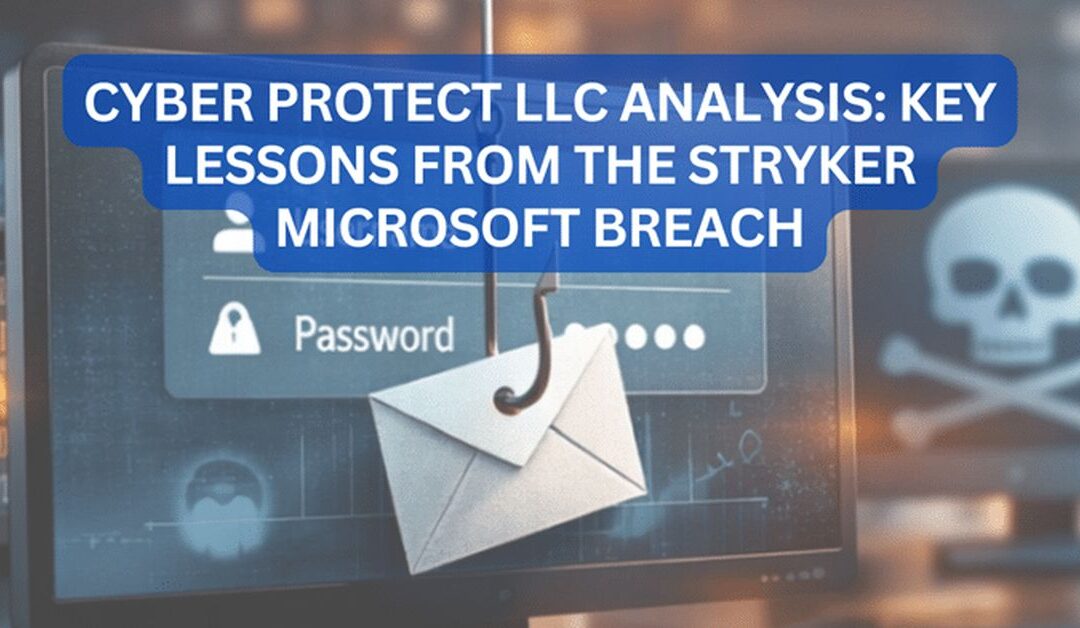
The recent Stryker network disruption is a strong reminder that a Microsoft compromise can hurt operations even when there is no public sign of ransomware. In its March 11 and March 12, 2026 updates, Stryker said it was dealing with a cyberattack that caused a global network disruption affecting its Microsoft environment, and later stated it believed the incident was contained to its internal Microsoft environment only. I’m not buying this! The company also said it had no indication of malware or ransomware at that time.
That matters because many businesses still think a “real” cyber incident must involve ransomware pop-ups or encrypted files. In truth, a compromise of Microsoft 365, Azure, Entra ID, Exchange Online, Teams, or connected identities can disrupt orders, communications, workflows, and trust long before ransomware ever appears. Microsoft itself continues to document active identity-focused threats, including phishing, mailbox compromise, and OAuth abuse.
This article breaks down what the Stryker incident teaches us and explains how Cyber Protect can help businesses prevent Microsoft compromises through layered security, monitoring, cloud hardening, and recovery planning. Cyber Protect publicly highlights services such as endpoint and network protection, Microsoft 365 and Azure protection, compromise assessments, cloud monitoring, backup, disaster recovery, and vCISO support.
What happened in the Stryker Microsoft cyber incident?
Stryker’s public notice gives us a careful but important snapshot. On March 11, 2026, the company said it was experiencing a global network disruption to its Microsoft environment because of a cyberattack and that it had no indication of ransomware or malware. On March 12, 2026, Stryker said it was continuing to resolve the disruption, believed the situation was contained to its internal Microsoft environment only, and stated that products such as Mako, Vocera, and LIFEPAK35 were safe to use. It also noted that electronic ordering was affected and that orders entered after the event were being examined.
Timeline of the March 11–12, 2026 customer updates
The timeline matters because it shows a classic modern response pattern:
- Acknowledge the disruption.
- Narrow the suspected scope.
- Reassure customers about product safety.
- Work to restore communications and ordering.
- Provide ongoing public updates.
That kind of language usually points to a business system and identity problem first, not necessarily a destructive malware event. It suggests the company was trying to preserve operational continuity while investigators worked to confirm scope and impact. This is exactly why businesses need strong business continuity plans alongside technical security controls.
Why the phrase “contained to our internal Microsoft environment” matters
That phrase is the heart of the incident. A Microsoft environment is not just email. It can include identity, access control, mail flow, file sharing, cloud apps, collaboration tools, and administrative control planes. If attackers gain access there, they may disrupt communications, impersonate staff, alter settings, move laterally, create persistence, or interfere with business processes without deploying classic malware. Microsoft’s own guidance on compromised accounts highlights signs such as suspicious inbox rules, auto-forwarding, odd sent mail, frequent password changes, and contact changes in the directory. (Microsoft Learn)
Why Microsoft environments remain a prime target for attackers
Microsoft platforms are attractive because they sit at the center of modern business. They hold identity, email, documents, chats, calendars, approvals, and admin controls. One stolen credential or hijacked token can open several doors at once. Microsoft continues to recommend stronger authentication and phishing-resistant controls because identity attacks remain one of the fastest ways into an organization.
Identity attacks, phishing, and token abuse
Attackers do not always need to “hack” a server in the old-fashioned sense. They often trick users into handing over credentials, approving an MFA prompt, granting app consent, or signing in through a fake page that steals a live session. Microsoft recently warned about phishing campaigns that abused OAuth redirection to bypass common defenses and deliver malicious outcomes. In plain English, that means trusted cloud workflows can be twisted to help attackers look legitimate.
Business email compromise and mailbox persistence
Mailbox compromise is especially dangerous because it blends in with normal business activity. Microsoft notes that attackers often use compromised Microsoft 365 accounts to send internal and external messages, create forwarding rules, hide evidence, and maintain persistence. That can lead to invoice fraud, wire diversion, partner fraud, and reputational damage.
What this incident signals for healthcare, manufacturing, and distributed enterprises
Stryker’s update is relevant far beyond one organization. It shows how a cloud-centric or identity-centric incident can create a serious operational problem across a global business. Healthcare, manufacturing, legal, finance, and other regulated sectors all rely on Microsoft-based workflows, shared identities, and always-on communications.
Operational disruption without confirmed ransomware
One of the biggest lessons here is simple: no ransomware does not mean no crisis. Order processing, internal communications, supply chain coordination, and customer support can still be impaired. In many businesses, that kind of interruption is enough to delay revenue, frustrate customers, and create compliance risk. Stryker explicitly said it was working to restore electronic ordering and examining newer orders after the event.
Why “safe to use” products can still coexist with business system disruption
Stryker said certain products were safe to use while its business systems were still disrupted. That is not unusual. Product safety and business application availability are different issues. A company can maintain safe product operation while still facing heavy strain in order entry, account communications, and internal coordination. For business leaders, that means cybersecurity planning should separate product risk, operational risk, and customer communication risk.
The most common paths to Microsoft compromise
Businesses often ask, “How does a Microsoft compromise happen in the first place?” The answer is usually less dramatic than people expect.
Credential theft
Stolen usernames and passwords are still a major path in. Attackers get them through phishing, password reuse, fake login pages, or previously exposed credentials. Once inside, they often move quietly. Microsoft stresses that MFA helps reduce identity attack risk, but basic MFA alone is not always enough against advanced phishing.
Weak or inconsistent MFA
Some users have MFA. Some do not. Some admins use stronger methods, while others still rely on weaker prompts. That inconsistency creates openings. Microsoft documents both mandatory MFA planning and phishing-resistant MFA as recommended controls, especially for sensitive roles
Malicious OAuth apps and consent abuse
Attackers may trick users into granting permissions to a malicious cloud app. Once approved, that app can access mailboxes, files, or profile data without looking like traditional malware. Microsoft’s March 2026 research on OAuth redirection abuse shows this threat is current, not theoretical.
Inbox rules, forwarding, and account takeover
One classic sign of a Microsoft 365 compromise is suspicious inbox rules or external forwarding. Attackers use them to hide replies, exfiltrate information, and monitor conversations for fraud opportunities. Microsoft specifically lists these as common symptoms of a compromised mailbox.
How Cyber Protect Can Reduce the Risk of Microsoft Compromise
This is where prevention gets practical. Cyber Protect is the cybersecurity partner for businesses that need layered defenses, recovery readiness, and a clearer strategy. Our offerings include endpoint detection and response, firewall and network security, web and spam filtering, Microsoft 365 and Azure protection, cloud monitoring, cyber risk assessments, compromise assessments, backup and disaster recovery, policy development, and vCISO services.
Endpoint and network protection
A Microsoft compromise rarely stays limited to one inbox if endpoints and networks are weak. Cyber Protect’s endpoint and network protection services can help reduce that risk by improving malware prevention, firewall controls, application controls, mobile protection, and broader visibility across the environment. Even when the initial issue starts with identity, endpoint telemetry often helps investigators spot spread, persistence, and unusual activity faster.
Microsoft 365 and Azure security hardening
A Microsoft compromise rarely stays limited to one inbox if endpoints and networks are weak. Cyber Protect’s endpoint and network protection services can help reduce that risk by improving malware prevention, firewall controls, application controls, mobile protection, and broader visibility across the environment. Even when the initial issue starts with identity, endpoint telemetry often helps investigators spot spread, persistence, and unusual activity faster.
Compromise assessments and continuous monitoring
Cyber Protect can help prevent attacks with compromise assessments, vulnerability scanning, cloud-based monitoring, and security auditing. Those are valuable because many organizations do not know they have already been breached. A focused Microsoft compromise assessment can uncover suspicious sign-ins, impossible travel, forwarding rules, rogue OAuth grants, unusual admin changes, and persistence mechanisms before they turn into a headline.
Backup, disaster recovery, and business continuity
Stryker’s update shows why recovery matters as much as prevention. Even when products remain safe, electronic ordering and system communications can still be disrupted. Cyber Protect emphasizes backup, disaster recovery, and business continuity, which can help businesses restore key operations faster, reduce downtime, and keep serving customers during an incident.
A practical prevention framework for businesses using Microsoft 365
Below is a simple framework businesses can use right now.
| Priority Area | What to Do | Why It Matters |
|
Enforce MFA for all users and phishing-resistant MFA for admins | Reduces credential-based compromise risk |
|
Review conditional access and privileged roles | Limits attacker movement |
|
|
Block risky forwarding, monitor inbox rules, improve spam filtering | Cuts BEC and mailbox abuse |
|
Audit OAuth consents and third-party app permissions | Prevents stealthy access |
|
Use EDR and patching | Detects spread and persistence |
|
Run compromise assessments and log reviews | Finds hidden attacker activity |
|
Test backup and continuity plans | Keeps operations running during disruption |
Identity-first controls
Start with identity because Microsoft compromises often begin there. Protect admins first. Reduce standing privilege. Use stronger sign-in methods. Document exceptions. Remove stale accounts. This is the kind of steady, not flashy work that blocks many real-world incidents. Microsoft’s guidance around mandatory MFA and phishing-resistant authentication reinforces this approach.
Email and collaboration safeguards
Then secure Exchange Online, Teams, OneDrive, and SharePoint habits. Look for auto-forwarding. Review delegated access. Train users to verify unusual payment or login requests. Monitor abnormal login locations and odd messaging patterns. Cyber Protect’s services around web and spam filtering, Microsoft 365 protection, and cloud monitoring align well with this layer.
Recovery planning and resilience
Finally, assume a compromise may still happen. Build the muscle to recover quickly. That includes tested backups, clear incident playbooks, communication plans, and executive ownership. Cyber Protect’s business continuity, backup, and vCISO support can help turn recovery from a scramble into a repeatable process.
What businesses should do in the first 24 hours after a suspected Microsoft compromise
When a compromise is suspected, speed matters. Microsoft recommends blocking access to the affected account quickly and investigating symptoms such as suspicious rules, sent mail, forwarding, or odd account changes. Based on Microsoft guidance and the lessons from the Stryker disruption, businesses should:
- Disable or contain affected accounts immediately.
- Review sign-in logs, MFA events, mailbox rules, forwarding settings, and recent admin changes.
Revoke suspicious sessions and tokens. - Investigate app consents and third-party integrations.
- Check endpoints used by impacted staff.
- Preserve logs and evidence.
- Activate continuity plans for sales, ordering, and customer communications.
- Inform leadership, legal, and affected stakeholders with clear facts only.
FAQs
Was the Stryker incident confirmed as ransomware?
No. In its public updates on March 11 and March 12, 2026, Stryker said it had no indication of malware or ransomware at that time.
Why is a Microsoft compromise so serious if there is no malware?
Because Microsoft environments hold identity, email, files, admin access, and workflows. Attackers can disrupt operations, impersonate users, and create persistence without deploying visible malware. Microsoft documents mailbox compromise and OAuth abuse as real threats.
What is one early warning sign of Microsoft 365 account compromise?
Suspicious inbox rules or new external forwarding are major warning signs. Microsoft lists both among common symptoms of a compromised mailbox.
Can MFA alone stop Microsoft compromise?
MFA helps a lot, but not every form of MFA stops advanced phishing. Microsoft recommends stronger, phishing-resistant authentication for higher-risk roles.
How can Cyber Protect help businesses prevent Microsoft compromises?
Cyber Protect offers zero-trust endpoint and network protection, Microsoft 365 and Azure protection, compromise assessments, cloud monitoring, backup, disaster recovery, and vCISO support. Together, those services can help prevent attacks, improve visibility, and speed up recovery.
What should a business prioritize first after reading about this incident?
Start with identity security: enforce MFA consistently, strengthen admin authentication, review risky app permissions, and inspect mailbox rules and forwarding. Then test recovery plans so a disruption does not stop core operations.
Conclusion
The Stryker incident is a wake-up call for every business that depends on Microsoft. A compromise does not need to end in ransomware to become expensive, disruptive, and public. When identity, email, cloud apps, and ordering workflows are connected, one breach can ripple through the entire organization. Stryker’s own updates show how quickly a Microsoft-centered cyberattack can affect communications and operations, even while the company works to contain the issue and reassure customers.
That is exactly where Cyber Protect can make a real difference. By combining endpoint and network protection, Microsoft 365 and Azure hardening, compromise assessments, monitoring, backup, disaster recovery, and strategic guidance, Cyber Protect can help businesses prevent Microsoft compromises and recover faster when incidents happen. For organizations that want to reduce risk before they become the next public case study, that is the right direction to take.
About the Author

Cheyenne Harden
CEO