
Article 3 of 5
Applied to Three Real Michigan SMB Profiles
Risk Modeling Tells You the Odds. Preparation Determines the Outcome.
The first two articles in this series focused on measuring risk. Using Laplace's Rule of Succession, Beta Distribution modeling, Monte Carlo simulations, and Bayesian Networks, we quantified the annual probability of a breach for three Michigan businesses. We translated those probabilities into financial exposure ranges.
That work matters. But there is a question that statistical modeling cannot answer on its own: when the breach happens, what will you actually do?
Notice the framing. Not if. When.
The Beta Distribution placed Company A, the law firm with 18 clean years on record, at an annual breach probability of 18.3%. That means in any given five-year window, the firm faces roughly a 63% cumulative probability of at least one incident. For Company B, the medical practice at 28%, the five-year cumulative probability exceeds 80%. For Company C, the accounting firm at 25.4%, it is nearly 75%.
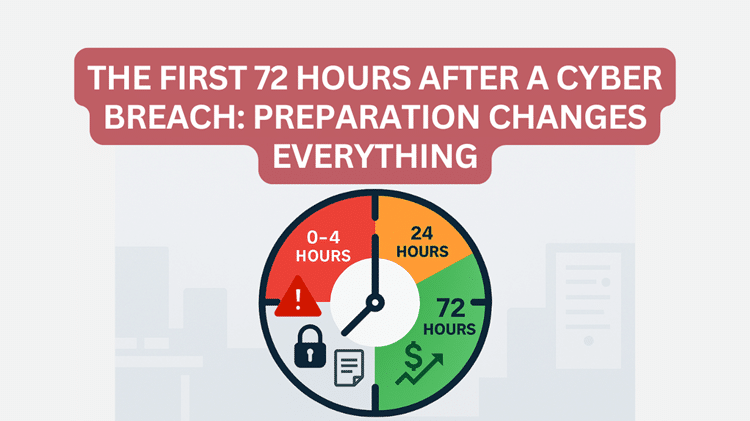
These are not edge cases to plan around. They are the expected operating reality for regulated Michigan SMBs. The question is not whether your business will face a serious cyber incident. The question is whether you will be a business that recovers in 72 hours or one that spends the next six months trying to.
This article is about that difference.
This is Part 3 of our Cyber Risk Intelligence Series.
If you haven’t read Part 1, start here: 👉Beyond “We Haven’t Been Hacked”: What the Math Actually Says About Your Cyber Risk
Part 2, start here: 👉 When the Math Gets Serious: Beta Distribution, Monte Carlo & Bayesian Models
Part 4 start here: 👉The Human Firewall: Why Employees Are Your Strongest Cyber Defense
Part 5, start here.👉The SMB Security Investment Equation: Priorities That Reduce Breach Costs
Part One: Ransomware by the Numbers
What Ransomware Is and Why It Targets Businesses Like Yours
Ransomware is a category of malicious software that infiltrates a business network, encrypts files to make them inaccessible, and then demands payment in exchange for the decryption key. Unlike a data-theft attack, where the goal is to quietly steal and sell information, ransomware is designed to be visible. The attacker wants you to know exactly what happened because the leverage depends on your desperation.
For small and mid-sized businesses, ransomware has become the dominant threat for one straightforward reason: it is profitable, and the targets are relatively undefended. Large enterprises have dedicated security operations centers, rapid response teams, and tested recovery infrastructure. Most SMBs have none of those. The criminal business model follows the path of least resistance. For ransomware operators, that path runs directly through law firms, medical practices, accounting offices, and similar organizations holding sensitive, high-value data with limited protective resources.
The following figures are drawn from published research by Coveware, IBM's annual Cost of a Data Breach Report, and the Verizon Data Breach Investigations Report, calibrated to SMB profiles at the $5 million revenue level used in our Monte Carlo analysis.
| Industry Profile | Avg Ransom Demand | Avg Downtime | Avg Total Cost (SMB) | % Paying Ransom |
| Law Firm (Company A) | $158,000 | 16 days | $385,000 | 38% |
| Medical Practice (Company B) | $197,000 | 23 days | $591,000 | 44% |
| Accounting Firm (Company C) | $142,000 | 18 days | $412,000 | 35% |
| All SMB Industries (Avg) | $200,000 | 21 days | $485,000 | 39% |
The average downtime figure deserves particular attention. Ransomware does not simply encrypt your files and wait. It typically has been present on the network for days or weeks before activation, quietly spreading and identifying the most valuable targets. By the time the ransom note appears on your screen, the damage is already done. The 16 to 23 days of average downtime in the table above represents the recovery period, not the period of active infection.
THE COMPOUNDING COST: The figures in this table represent direct financial losses. They do not capture the secondary costs: staff hours spent on recovery rather than billable work, client relationships damaged by notification letters, or the reputational harm that follows when a firm's name appears in a breach report. For law firms and medical practices in particular, those secondary costs often exceed the direct financial figures shown.
How Ransomware Gets In
Understanding how ransomware enters a network is not a technical detail. It is the foundation of a prevention strategy. The table below shows the primary attack entry points for SMB ransomware incidents, based on data from the Verizon DBIR and the FBI IC3.
| Attack Entry Point | % of SMB Incidents | What It Means for Your Business |
| Phishing Email | 41% | Employee clicks a malicious link or attachment. The most common entry point for all three company profiles. |
| RDP / Remote Access Abuse | 22% | Attackers brute-force or exploit exposed Remote Desktop Protocol connections, common in firms with remote workers. |
| Unpatched Software | 18% | Known vulnerabilities in unupdated operating systems or applications are exploited before patches are applied. |
| Compromised Credentials | 13% | Stolen usernames and passwords, purchased on the dark web, are used to log in as a legitimate user. |
| Third-Party / Vendor | 6% | A breach originates through a connected vendor, software provider, or cloud service with access to the firm's systems. |
The single most important number in that table is 41%. More than four out of every ten ransomware incidents targeting small businesses begin with a phishing email that an employee opens. No firewall blocks a phishing email that a human being chooses to click. No software patch addresses the gap between a convincing fake invoice and a staff member who is busy, tired, or simply unaware that the email is not what it appears to be.
This is why Article 4 in this series will specifically address the human factor. For the purposes of this article, the key point is that entry vectors are not random. They are predictable, they are documented in published research, and a significant portion of them are preventable with the right combination of technical controls and staff awareness.
Part Two: The First 72 Hours Without a Plan
Company C: Accounting Firm, Monday Morning, 8:47 a.m
A staff accountant opens her laptop and notices that the files on her desktop have unfamiliar file extensions. She tries to open a client's tax return and receives an error. She called the office manager. Within ten minutes, three other employees reported the same thing. The shared file server is inaccessible. The practice management software will not load.
On every screen: a ransom note. The attackers have demanded $185,000 in cryptocurrency, payable within 72 hours or the price will double.
Hours 1 to 4: The Paralysis Window
There is no documented incident response plan. The owner's first instinct is to call the IT vendor, but nobody answers for 22 minutes. While waiting, two employees continue working on unaffected machines, one of which subsequently shows signs of encryption. Nobody has issued instructions to stop using computers.
The owner searches his email for the cyber insurance policy number. He finds a certificate but not the full policy. He calls his insurance broker at 9:15 a.m. and reaches voicemail. He calls the IT vendor's emergency line and reaches a technician who has never handled a ransomware incident.
The forensic reality, invisible to everyone in the office, is that the ransomware was deployed via a phishing email that an employee clicked the previous Friday afternoon. It spent the weekend spreading across the network before activating on Monday morning. By 8:47 a.m., it had already been active for approximately 60 hours.
CRITICAL WINDOW: The first hour of a ransomware incident is the most consequential. Every minute that infected machines remain connected to the network is a minute the ransomware can spread further. Without a documented containment protocol, most businesses lose 45 to 90 minutes to confusion before anyone begins isolating systems.
Hours 4 to 24: The Scope Reveals Itself
The IT vendor arrives remotely at 10:30 a.m. and begins an assessment. The picture that emerges is severe. Every workstation in the office is infected. The file server is encrypted. The
backups, which were stored on a mapped network drive connected to the server, are also encrypted. There is nothing to restore from.
Client files, completed tax returns, financial records, and the firm's own accounting data are inaccessible. The cloud-based practice management software is operational but cannot be used safely until the network is cleaned. The IT vendor's estimate: three to five days to clean all machines, and two to four weeks to rebuild data from any sources that can be identified outside the encrypted backup.
The owner reaches his insurance broker at 1:00 p.m. The policy has a $25,000 deductible. Ransomware payments are covered up to $100,000. The demand is $185,000. The gap is $85,000. The insurance company refers the firm to its incident response vendor. Still, the IR retainer was never activated at policy inception, so it cannot be used now without a separate engagement process that takes 24 to 48 hours.
A lawyer is consulted. Under Michigan's Identity Theft Protection Act, the firm has reporting obligations if personal information was accessed or acquired by an unauthorized person. Under IRS Publication 4557 and the FTC Safeguards Rule, the firm has additional obligations as a tax preparer. The attorney estimates the regulatory exposure cannot be assessed until forensics determines what data the attackers accessed before deploying the ransomware.
Hours 24 to 48: Client Pressure and the Ransom Decision
By Tuesday morning, clients are calling. Several have tax-filing deadlines this week. The firm has no timeline to give them. Staff are working from personal devices on unrelated tasks. Billable work has stopped entirely.
The insurer's IR vendor begins its engagement. Initial forensics indicate the attackers accessed the file server for approximately 58 hours before encrypting files, giving them time to exfiltrate data before locking it. The regulatory exposure is calculated immediately: client notification letters will likely be required under Michigan law for the 340 clients whose personal financial data was stored on the server.
The ransom negotiation begins through the insurer's vendor. After two rounds of negotiation, the attackers agreed to $142,000. The decryption key, when delivered, recovers approximately 78% of the encrypted files. The remaining 22%, including several complete client engagement files and three years of the firm's own financial records, cannot be recovered.
Hours 48 to 72: The Bill Arrives
At 72 hours, the firm is not operational. Recovery is projected to take another two to three weeks. The partial data recovery has identified gaps that will require client outreach to reconstruct. Notification letters to 340 clients are being drafted under the supervision of legal counsel.
The 72-hour financial tally: ransom payment $142,000, IR vendor engagement $18,000, attorney fees $12,500, lost billable hours $28,000. Total at 72 hours: $200,500. Projected 90-day total including notification, reconstruction, and regulatory response: $480,000 to $540,000.
At day 21, the firm is partially operational. Three client relationships have ended. One client has retained separate counsel to investigate their data exposure.
THE STATISTIC BEHIND THE STORY: According to published research, 60% of small businesses that experience a significant ransomware event close within six months. The firms that survive are not the ones that got lucky. They are the ones who had a plan before the ransom note appeared on their screen
Part Three: The First 72 Hours With a Plan
Company C: The Same Accounting Firm, the Same Monday Morning, 8:47 a.m.
A staff accountant opens her laptop and notices that files on her desktop have unfamiliar extensions. She has seen this type of alert described in the firm's annual security awareness training. She does not click anything. She does not try to open the files. She picks up the phone and calls the office manager.
What she does not know is that the firm's EDR software flagged anomalous file encryption activity on her workstation at 8:31 a.m., sixteen minutes earlier, and automatically isolated the machine from the network. An alert was already sent to Cyber Protect LLC at 8:32 a.m.
Hours 1 to 4: Controlled Response
The firm owner receives a call from Cyber Protect LLC at 8:35 a.m., twelve minutes before the employee reported anything. The incident response plan is activated. The plan names four people: the owner, the office manager, the firm's legal contact, and the managed security partner. All four are notified by 9:00 a.m.
The EDR containment has limited the ransomware to two workstations. The file server, nine remaining workstations, and all cloud systems are unaffected. The security partner verifies the backup status immediately: the firm maintains a 3-2-1-1 backup strategy with an immutable cloud copy that cannot be encrypted or deleted by ransomware. The last verified clean backup is from Sunday evening at 11:47 p.m. The data loss window is less than 9 hours of work.
The two affected workstations are disconnected from power. Forensic imaging begins at 9:20 a.m. No ransom demand is acknowledged. There is nothing to pay for.
Hours 4 to 24: Containment and Clarity
By noon, the forensic picture is clear. The ransomware entered via a phishing email, which an employee clicked the previous Friday afternoon. The session remained dormant over the weekend before activating on Monday morning. Because EDR was deployed to monitor for behavioral anomalies rather than wait for known malware signatures, the lateral movement was detected and stopped before it reached the file server.
The firm is operating at 92% capacity from clean systems by 12:30 p.m. The two affected workstations are being reimaged from the clean Sunday backup. Staff have been briefed: continue normal operations on their own machines, which were never affected.
The incident response plan includes a regulatory notification checklist. The firm's attorney reviews the containment outcome. Because no client data was accessed on the file server (confirmed by forensic logs showing the ransomware was stopped before reaching that system), the breach notification threshold under Michigan's Identity Theft Protection Act is not triggered. No client notifications are required. No regulatory filings are necessary.
THE IR PLAN AT WORK: The incident response plan was not used to respond to the breach. It was used before the breach escalated. Pre-written communication templates, a pre-activated insurance retainer, and a documented regulatory checklist meant that every decision in the first four hours had already been made. The firm's leadership was executing a plan, not improvising one.
Hours 24 to 48: Recovery and Documentation
Both affected workstations are fully restored from the Sunday backup and returned to service by Tuesday morning. All 11 workstations are operational. A comprehensive security audit of the phishing entry point is underway. The originating email is traced to a compromised email account at a client firm, and that client is notified with a pre-written communication template from the IR plan.
The cyber insurance company is notified per the plan's required timeline, with full documentation of the incident, containment actions, and forensic findings. The insurer confirms the response was consistent with policy requirements. No claim is necessary: there are no losses to claim.
Hours 48 to 72: Full Operations
The firm is fully operational for 52 hours. Total cost of the incident: IR partner time $4,200, two workstation reimage and restore $1,800, legal review $2,500, insurance notification documentation $800. Total: $9,300. No ransom paid. No client notifications required. No regulatory filings triggered. No billable hours lost beyond Monday morning.
At 72 hours, the only visible evidence that an incident occurred is an entry in the firm's incident log and a scheduled all-staff security awareness refresher for the following week.
The Financial Summary
The table below compares the 90-day financial outcome for the same company, the same attack, and the same Monday morning, with the single variable being whether an incident response plan existed and had been tested.
| Cost Category | Without an IR Plan | With the IR Plan | Why the Difference |
| Ransom Payment | $142,000 | $0 | Offline backups eliminate leverage |
| IT Recovery Labor | $45,000 | $12,000 | Containment limits the scope of work |
| Downtime / Lost Revenue | $180,000 | $28,000 | Recovery in hours, not weeks |
| Legal and Regulatory | $65,000 | $22,000 | Pre-planned notifications reduce exposure |
| Client Notification | $18,000 | $0 | Forensics confirmed no data exfiltration |
| Reputational / Lost Clients | $90,000 | $25,000 | Rapid recovery limits visible impact |
|
TOTAL (90-day estimate)
|
$540,000 | $87,000 | Savings of $453,000+ |
The $453,000 difference between these two outcomes is not the cost of a breach. It is the cost of being unprepared for one. The IR plan, tested backups, EDR deployment, and pre-activated insurance retainer that produced the prepared outcome cost this firm approximately $22,000 per year in combined security program investment. Against a single unprepared incident outcome of $540,000, that investment calculates to a return of more than 24 to 1.
Part Four: Building Your Incident Response Plan
What an IR Plan Is and What It Is Not
An incident response plan is not a technical document. It is not a flowchart stored in a folder that nobody has read since the IT consultant created it two years ago. It is a short, practical, tested guide that tells named individuals exactly what to do in the first four hours of a breach, before anyone has time to think clearly.
The most common failure mode in SMB incident response is not a lack of a plan. It is that the plan exists but has never been put into practice. A plan that has not been tested under pressure is not a plan. It is a document. The difference between those two things is what separates a $9,300 recovery from a $540,000 one.
The table below outlines the seven core components every SMB incident response plan must include, what each component requires, and who owns it.
| IR Plan Component | What It Must Include | Who Owns It |
| Contact Directory | Named individuals for IT, legal, insurance, and communications. Must include after-hours contacts. Reviewed quarterly. | Owner / Office Manager |
| Containment Procedures | Step-by-step instructions for isolating affected systems without destroying forensic evidence. Printed copy required. | IT / Security Partner |
| Regulatory Checklist | Breach notification timelines under Michigan MCL 445.63, HIPAA, IRS Publication 4557, and FTC Safeguards Rule by industry. | Legal Counsel |
| Client Communication Templates | Pre-approved notification language for clients, regulators, and staff. Legal review is conducted before an incident occurs. | Owner / Attorney |
| Insurance Documentation | Policy number, insurer contact, coverage limits, and deductible. Confirm the IR retainer vendor is pre-activated. | Owner |
| Recovery Priorities | A ranked list of which systems must come back online first. Includes RTOs and RPOs for each critical system. | IT / Security Partner |
| Tabletop Exercise Schedule | Documented schedule of annual breach simulations with named participants. Last test date and results on file. | Owner / Security Partner |
THE PRINTED COPY RULE: Every incident response plan must exist as a printed document in a physical location that does not depend on the network being operational. If your IR plan is stored on the file server and the file server is encrypted, the plan is gone when you need it most. One printed copy on the owner's desk and one off-site is a minimum standard.
The Tabletop Exercise
A tabletop exercise is a structured walkthrough of a breach scenario conducted with the people named in the IR plan. It requires no technical activity. It is a conversation: someone describes a scenario, and participants talk through their responses step by step. The exercise reveals gaps that no written document can identify, which contacts are wrong, which procedures have never been tested, and which decisions nobody has thought through in advance.
For a $5 million SMB, a tabletop exercise takes two to three hours and costs nothing beyond the time of the participants. IBM's research shows that organizations with tested incident response plans reduce their breach costs by an average of $2.66 million compared to those without. For SMBs, the proportional savings are equally significant even at a smaller absolute scale.
The standard recommendation for regulated industries is one tabletop exercise per year, with an additional exercise after any significant change in technology, personnel, or operations.
Regulatory Notification Requirements for Michigan SMBs
One of the highest-consequence decisions in any breach scenario is when and how to notify clients, regulators, and government agencies. Getting this wrong creates legal exposure on top of the breach itself.
- Michigan Identity Theft Protection Act (MCL 445.63): requires notification to affected Michigan residents and the Michigan Attorney General if a breach involves personal information. The notification must occur as soon as possible and without unreasonable delay. There is no specific day-count window, but failing to notify promptly is a violation.
- HIPAA Breach Notification Rule: requires covered entities to notify affected individuals within 60 days of discovering a breach. Breaches affecting 500 or more individuals in a state must also be reported to the HHS Office for Civil Rights and prominent media outlets.
- IRS Publication 4557 and the FTC Safeguards Rule: require tax preparers and financial service firms to have written information security plans and to notify the IRS and clients of breaches involving tax return data. The FTC Safeguards Rule applies to any business engaged in financial activities.
These notification obligations are non-negotiable and not waived by the chaos of an active breach. Your incident response plan must include pre-written notification templates, the name of the attorney who will review them, and a documented timeline for each regulatory framework applicable to your industry.
Part Five: The Backup Equation
Why Most Backups Fail When You Need Them
The single most common discovery in an SMB ransomware incident is that the backups are also encrypted. This is not a coincidence. Modern ransomware is specifically engineered to identify and target backup systems before deploying its encryption payload. If your backups are connected to the same network as your primary data, a ransomware attack that has been present for 48 hours before activation will almost certainly have found them.
Published research suggests that only 54% of backups are successfully recoverable when actually tested, even in the absence of a ransomware attack. Configuration errors, incomplete backup jobs, and storage media failures all contribute to this figure. The implication is clear: a backup that has never been tested is not a backup. It is a hope.
| Backup Strategy | Ransomware Resistance | Recovery Speed | Cost Level | Note |
| Local Backup Only | Very Low | Fast | Low | Not recommended. Ransomware encrypts local backups on the same network. |
| Cloud Backup Only | Medium | Medium | Low | Better, but some ransomware can reach connected cloud drives. |
| 3-2-1 Strategy | High | Medium | Medium | 3 copies, 2 media types, 1 offsite. Recommended baseline for all SMBs. |
| 3-2-1 + Immutable Copy | Very High | Medium | Medium | Adds a backup that cannot be altered or deleted and is required for regulated firms. |
| Air-Gapped + Immutable | Highest | Slower | Higher | Physically disconnected backup. Gold standard for law, medical, and accounting |
The 3-2-1 Rule and Why Regulated Businesses Need to Go Further
The 3-2-1 backup rule is the established baseline for SMB data protection. It specifies three copies of your data, stored on two different types of media, with one copy stored offsite. A properly implemented 3-2-1 strategy provides meaningful protection against hardware failure, local disasters, and most ransomware scenarios.
For businesses in regulated industries, however, the 3-2-1 standard is a starting point rather than a destination. The 3-2-1-1 variant adds an immutable copy: a backup that cannot be altered, overwritten, or deleted by any user or process, including ransomware. Several major cloud backup providers offer immutable storage as a standard feature. For law firms, medical practices, and accounting firms handling client data subject to regulatory retention requirements, immutable backups also address compliance documentation needs and provide ransomware protection.
The air-gapped backup, physically disconnected from all networks, represents the highest level of protection and is recommended for the most sensitive data categories: client files, financial records, and any data subject to regulatory retention requirements. Air-gapped backups cannot be reached by ransomware, by any network-connected process, or by a compromised administrator account. The tradeoff is recovery speed: restoring from an air-gapped backup is slower than restoring from a connected system.
Recovery Time Objectives and Recovery Point Objectives
Two metrics define the business impact of any backup strategy and should be explicitly documented in your incident response plan.
- Recovery Time Objective (RTO): the maximum amount of time your business can tolerate being without a specific system before the impact becomes unacceptable. For a medical practice, the RTO for the patient scheduling system might be four hours. For an accounting firm during tax season, it might be two hours. Your RTO determines which recovery approach is acceptable.
- Recovery Point Objective (RPO): the maximum amount of data loss your business can tolerate, measured in time. An RPO of 24 hours means the business can accept losing up to one day of data. The RPO determines how frequently backups must be taken. Company C's Sunday evening backup, combined with a recovery of clean systems by Tuesday morning, produced an actual data loss of less than nine hours: well within a reasonable RPO for most business functions.
If your current backup strategy does not have documented RTO and RPO values, you have not actually defined what recovery success looks like. That definition belongs in your incident response plan before an incident forces the question.
THE TEST SCHEDULE: Test a full backup recovery at least twice per year. Document the date of the test, the systems restored, the time required, and any gaps identified. An untested backup is not a business continuity asset. It is a liability disguised as one.
Summary: The 72-Hour Gap
What Separates the Two Outcomes
The two narratives in this article describe the same company, the same ransomware attack, the same Monday morning, and the same 72-hour window. One ends with a $9,300 recovery and full operations restored. The other ends with a $540,000 exposure, 340 client notifications, and a firm that is still not fully operational at day 21.
The variables that produced those different outcomes were not technical sophistication or budget size. They were four specific decisions that the prepared firm made before the incident occurred.
- They deployed EDR, which detected the attack 16 minutes before any human noticed it and automatically contained the affected machines before the ransomware reached the file server.
- They maintained an immutable backup, which meant the attackers had no leverage. With clean data intact and restorable within hours, the ransom demand was irrelevant.
- They had a tested incident response plan, which meant the first hour was spent executing decisions that had already been made, not trying to figure out who to call.
- They pre-activated their insurance IR retainer, which meant their incident response vendor was engaged within minutes rather than days.
None of these four items requires a large budget or a dedicated security team. They require a decision, made before the ransom note appears on the screen, that the cost of preparation is worth paying.
THE NUMBERS REVISITED: Articles 1 and 2 in this series showed that Company C faces a 25.4% annual breach probability and a 90th percentile three-year financial exposure of $567,477. The prepared 72-hour outcome in this article cost $9,300. The unprepared outcome cost $540,000. The annual cost of a security program that produces the prepared outcome is approximately $22,000. The math for preparation is not complicated.
The statistical models in this series estimate the likelihood of a breach. Incident response planning determines the cost of the breach when it arrives. Both halves of that equation belong in every business owner's thinking, and neither half is complete without the other.
Incident Response Glossary for Business Owners
The following terms are used throughout this article and in professional incident response discussions. This glossary covers new vocabulary specific to ransomware and breach response. Terms introduced in Articles 1 and 2 are not repeated here.
Ransomware and Attack Terminology
Ransomware
Malicious software that encrypts a victim's files and demands payment in exchange for the decryption key. Modern ransomware often includes a data exfiltration component: attackers copy sensitive data before encrypting it, creating a second layer of leverage by threatening to publish the stolen data if the ransom is not paid. This is known as double extortion.
Phishing
An attack method in which criminals send deceptive emails designed to trick recipients into clicking malicious links, opening infected attachments, or providing login credentials. Phishing is the entry point for 41% of SMB ransomware incidents. Spear phishing is a targeted variant that uses personalized details to appear more credible, such as a fake email that appears to come from a known client or vendor.
RDP (Remote Desktop Protocol)
A Microsoft technology that allows users to access a computer remotely over a network connection. RDP is widely used in SMB environments for remote work, but is also one of the most frequently exploited attack vectors when left exposed to the internet without additional authentication controls. Attackers scan for exposed RDP ports and attempt to brute-force credentials.
Double Extortion
A ransomware tactic in which attackers both encrypt files and exfiltrate a copy of the data before deploying the encryption payload. The exfiltrated data creates a second ransom demand: pay to keep the data from being published publicly, regardless of whether you restore from backup. Double extortion means that even a perfect backup strategy does not eliminate all the leverage the attacker holds.
Lateral Movement
The process by which an attacker, having gained access to one system on a network, moves through connected systems to reach higher-value targets. Ransomware typically enters through a low-privilege endpoint (such as a staff workstation). It uses lateral movement to reach file servers, backup systems, and administrative accounts before deploying its encryption payload. EDR is specifically designed to detect and stop lateral movement.
Incident Response Terms
Incident Response Plan (IRP)
A documented, tested set of procedures for detecting, containing, and recovering from a cybersecurity incident. An effective IRP names specific individuals, defines their roles, includes pre-written communication templates, and has been rehearsed through at least one tabletop exercise. An IRP that has never been tested is a document, not a plan.
Tabletop Exercise
A structured discussion in which key personnel walk through a simulated breach scenario step by step, identifying gaps in the incident response plan without deploying any technical response. Tabletop exercises are the most cost-effective method of testing an IR plan and are recommended annually for all regulated SMBs. They reveal contact failures, unclear decision authorities, and untested procedures before a real incident exposes them at the worst possible moment.
Containment
The immediate steps taken to prevent a breach from spreading beyond its current scope. Containment typically involves isolating affected systems from the network, deactivating compromised accounts, and halting processes associated with the attack. The speed and effectiveness of containment are the single most important variables in determining the final cost of a ransomware incident. Every minute of uncontained spread increases the scope of recovery required.
Forensic Imaging
The creation of an exact, bit-for-bit copy of a compromised system's storage for analysis. Forensic imaging must occur before affected systems are cleaned or reimaged, because it preserves the evidence needed to determine how the attack entered, what data was accessed, and whether exfiltration occurred. Failure to preserve forensic evidence before remediation can prevent the firm from establishing what happened, which is a problem for regulatory notifications and insurance claims alike.
IR Retainer
A pre-arranged agreement with an incident response vendor that guarantees access to their services in the event of a breach, typically at a pre-negotiated rate. IR retainers are often available through cyber insurance policies. A retainer that has not been activated at policy inception may require a separate engagement process during the incident, delaying response by 24 to 48 hours when speed is most critical. Pre-activation is a standard item in a complete IR plan.
Backup and Recovery Terms
3-2-1 Backup Rule
The baseline standard for SMB data protection: maintain three copies of data, on two different types of storage media, with one copy stored offsite. A properly implemented 3-2-1 strategy protects against hardware failure, local disasters, and most ransomware scenarios. For regulated industries, the 3-2-1-1 variant, which adds an immutable copy, is the recommended standard.
Immutable Backup
A backup copy that cannot be altered, overwritten, or deleted by any user or process, including ransomware and compromised administrator accounts, for a defined retention period. Immutable backups are the most effective technical control against ransomware's ability to target and destroy backup copies before deploying its encryption payload. Several major cloud backup providers offer immutable storage as a standard feature.
Air-Gapped Backup
A backup that is physically disconnected from all network connections, meaning it cannot be reached by ransomware, remote attackers, or any network-connected process. Air-gapped backups provide the highest level of protection against ransomware but involve slower recovery times because data must be physically transported and restored and recommended for the most sensitive data categories in regulated industries.
Recovery Time Objective (RTO)
The maximum amount of time a business can tolerate being without a specific system or function before the impact becomes unacceptable. The RTO for a medical practice's scheduling system might be four hours. The RTO for a secondary reporting system might be 72 hours.
RTOs must be defined in the IR plan before an incident forces the question, because recovery priorities depend on knowing which systems are most time-critical.
Recovery Point Objective (RPO)
The maximum amount of data loss a business can tolerate, measured in time. An RPO of 24 hours means the business can accept losing up to one day of data. The RPO determines how frequently backups must be taken. RPOs must be defined for each system and documented in the IR plan, as different functions have different tolerances for data loss.
Business Continuity Plan (BCP)
A broader plan that addresses how a business will continue operating during and after any significant disruption, not only cyber incidents. A BCP includes IT recovery procedures but also covers communication with clients, staff working arrangements, vendor alternatives, and financial continuity. An incident response plan is a component of a BCP, not a substitute for it.
Do Not Write Your IR Plan During the Breach
The businesses that recover within 72 hours built their plans before they needed them. Cyber Protect LLC helps Michigan SMBs do exactly that.
We develop and test incident response plans for small- and mid-sized businesses in the legal, medical, accounting, real estate, and construction industries. We help you identify your backup gaps, pre-activate your insurance retainer, and run the tabletop exercise that reveals the problems before a real incident does. The result is a plan that your team can execute under pressure because they have already practiced it.
We offer tailored pricing built around your risk profile and operational needs. Flat-rate options are available for businesses that prefer budget-line predictability.
Visit www.cyberprotectllc.com or call us (586) 500-9300 to speak with a Michigan cybersecurity specialist.
“No Geek Speak. No Hassles. Just Real Protection.”
Editorial note: This article was by AI tools and reviewed by cybersecurity professionals at Cyber Protect LLC for accuracy, clarity, and relevance.
About the Author

Cheyenne Harden
CEO