
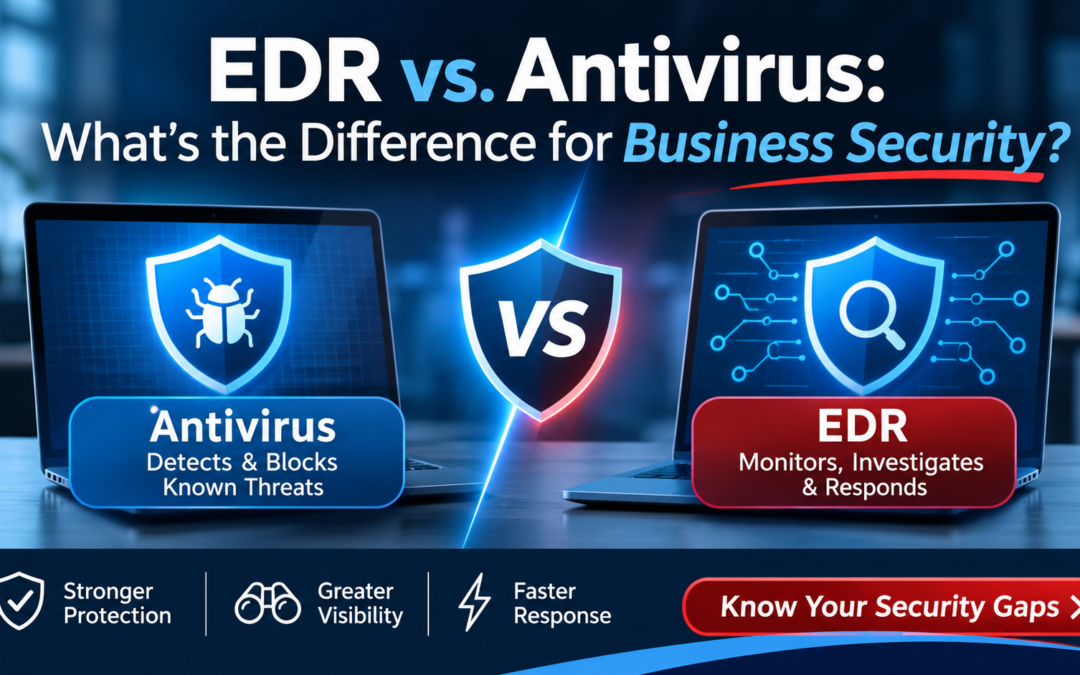
For Michigan businesses, understanding EDR vs antivirus is important because installing antivirus software no longer means a computer is fully protected. Antivirus still matters, but modern attacks have changed. Cybercriminals increasingly use stolen credentials, malicious scripts, legitimate administrative tools, fileless techniques, ransomware, and other methods that may not look like a traditional computer virus.
Antivirus provides an important layer of protection, but it is not a complete endpoint security strategy. EDR provides broader visibility into endpoint activity, helping businesses detect suspicious behavior, investigate threats, and respond to attacks that traditional antivirus may miss.
Understanding the difference between EDR and antivirus can help businesses choose the right level of endpoint protection for their environment.
The Key Takeaway
Antivirus can be installed, updated, and working exactly as designed, and a business can still be compromised.
Modern endpoint protection needs to detect suspicious behavior, investigate what happened, contain the threat, and restrict what is allowed to run.
What Is Traditional Antivirus?
Traditional antivirus is designed primarily to identify and block malicious software. It may use threat signatures, reputation data, heuristics, cloud intelligence, and other detection methods to recognize suspicious files or activity. Modern antivirus products are more capable than the antivirus software businesses used a decade ago, and they remain an important part of endpoint protection.
When looking at EDR vs antivirus, the main limitation of traditional antivirus is scope. Antivirus is largely focused on preventing or removing malware. A modern attack can involve much more than a malicious executable. An attacker may misuse PowerShell, steal an employee’s credentials, exploit an unpatched application, use legitimate remote-management tools, or move through a network after gaining initial access.
The question for a business is no longer simply, “Did antivirus find a virus?” In an EDR vs antivirus comparison, the better questions are: “What happened on this computer? What did the suspicious process do? Did it contact another system? Did it spread? Can we isolate the device? Can we investigate and respond quickly?”
This is where understanding EDR vs antivirus becomes important. EDR is designed to provide broader visibility into endpoint activity and help security teams investigate and respond to suspicious behavior, rather than focusing primarily on whether a known piece of malware was detected.
What Is EDR?
EDR stands for Endpoint Detection and Response. When comparing EDR vs antivirus, the key difference is that EDR is designed to provide broader visibility into what is happening on business endpoints. Instead of focusing only on identifying known malware, EDR continuously collects and analyzes activity on laptops, desktops, and servers. It helps security teams detect suspicious behavior, investigate incidents, understand the sequence of events, and respond.
Depending on the EDR platform and configuration, response actions can include killing a malicious process, quarantining a file, isolating a computer from the network, collecting forensic information, or triggering an automated remediation workflow.
Microsoft describes EDR as providing deeper endpoint visibility and rapid investigation and response to advanced attacks. NIST’s current Zero Trust implementation guidance also treats EDR/EPP as an important endpoint-security capability within a broader Zero Trust architecture.
EDR vs Antivirus: The Business Difference
| Category | Antivirus | EDR |
|---|---|---|
| Primary goal | Prevent and remove malware | Detect, investigate, contain, and respond to suspicious endpoint activity |
| Monitoring | Primarily malware-focused | Continuous endpoint telemetry and behavioral monitoring |
| Known malware | Strong capability | Strong when integrated with endpoint protection |
| Unknown or unusual behavior | More limited context | Designed to identify suspicious patterns and behavior |
| Investigation detail | Usually limited | Provides richer event history and context |
| Endpoint isolation | Often limited or unavailable | Common EDR response capability |
| Threat hunting | Generally not a core function | Often supported |
| Incident response support | Basic | Built around investigation and response |
| Best fit | Home users and basic protection layers | Businesses that need deeper visibility and response capabilities |
Does EDR Replace Antivirus?
Not necessarily. This is one area where online explanations about EDR vs antivirus often oversimplify the issue. Many modern endpoint-security platforms combine antivirus or endpoint protection with EDR capabilities. The technologies can complement each other: prevention tries to stop a threat from succeeding, while EDR provides the visibility and response capabilities needed when something suspicious still occurs.
For a business, the goal should not be to choose a security product because it has the newest acronym. The goal is to create layered protection that can prevent common threats, detect abnormal behavior, limit what attackers can do, and give someone qualified the information and authority to respond.
Why Antivirus Alone Is Not Enough for a Modern Business
A company can have antivirus on every workstation and still face ransomware, credential theft, unauthorized remote access, malicious scripts, vulnerable software, and misuse of legitimate tools. This is one reason the EDR vs antivirus discussion matters: traditional antivirus alone may not provide the visibility needed to investigate every type of suspicious endpoint activity. This is also why the State of Michigan promotes a “defense in depth” strategy: no single cybersecurity control can prevent every attack.
For businesses in Warren, Sterling Heights, Troy, Detroit, and throughout Southeast Michigan, the operational risk is especially important. A security incident can interrupt billing, payroll, client communication, production, scheduling, document access, and other essential work. Small and midsize companies often do not have an internal security operations team available to investigate suspicious endpoint behavior around the clock.
Michigan’s Cyber Command Center specifically investigates incidents affecting Michigan businesses, including ransomware, phishing, business email compromise, network intrusions, and malicious insiders. That is a useful reminder that endpoint security has to account for more than traditional computer viruses.
What EDR Can See That Traditional Antivirus May Miss
- A trusted application launching an unusual child process.
- PowerShell or another scripting tool being used in a suspicious way.
- A process making unexpected network connections.
- A sequence of events that individually look harmless but together resemble an attack.
- Activity that indicates credential theft or attempted lateral movement.
- A compromised endpoint that needs to be isolated before the threat spreads.
No EDR system detects everything, and poor configuration can weaken even an excellent product. EDR should be treated as part of an overall security program, not a substitute for patching, backups, identity security, MFA, employee training, email protection, firewall controls, and incident-response planning.
Where Zero-Trust Endpoint Security Changes the Equation
Cyber Protect goes beyond relying on detection alone. We combine EDR with Zero-Trust endpoint controls designed to restrict what software and processes are allowed to execute.
The concept behind Zero Trust is straightforward: access or execution should not be trusted simply because it comes from a company-owned device or is already inside the network. NIST’s Zero Trust Architecture guidance states that trust should not be granted implicitly based only on network location or asset ownership.
On an endpoint, that philosophy can be applied through controls such as application allowlisting, least-privilege policies, and restrictions around how approved applications interact. The result is a different security posture: instead of asking only whether a file is known to be malicious, the organization can also ask whether that program should be allowed to run at all.
This is what makes Cyber Protect different
We use EDR and Zero-Trust endpoint security together. EDR helps us detect, investigate, and respond to suspicious behavior. Zero-Trust endpoint controls help reduce what is allowed to run in the first place. It is a layered approach built for business environments, not a single antivirus checkbox.
A Simple Example: Why the Difference Matters
Imagine an employee at a Michigan accounting firm receives a convincing phishing email. The employee opens a document that launches a script. The script does not arrive as a traditional “virus” file. Instead, it tries to use tools already built into Windows to download additional code and access credentials.
Antivirus may stop part of the attack, particularly if the payload is already known. EDR adds behavioral visibility into the chain of events and can help security teams investigate and contain the endpoint. Zero-Trust application controls can add another barrier by preventing unauthorized software or scripts from executing in the first place.
That is defense in depth: multiple independent security controls working together so one missed detection does not automatically become a business-wide incident.
What Should a Small or Midsize Michigan Business Use?
For most businesses that store client information, handle financial data, rely on Microsoft 365, have remote employees, or cannot tolerate significant downtime, we recommend moving beyond stand-alone antivirus. A practical endpoint-security baseline should include:
The correct design depends on the business. A 10-person law firm does not need the same security architecture as a 500-person manufacturer, but both need more than a consumer-style “antivirus installed” checkmark.
How Cyber Protect Approaches Endpoint Security
Cyber Protect is a Michigan cybersecurity and IT services company with a cybersecurity-first approach. We manage endpoint protection as part of a broader security strategy rather than treating antivirus as a stand-alone product.
EDR to detect and investigate suspicious endpoint behavior.
Zero-Trust endpoint security to control what applications are permitted to execute.
Application controls designed to reduce unauthorized software execution.
Endpoint and server patch management.
Security monitoring and alert response.
Backup and recovery planning.
Identity, MFA, email, DNS, and network security controls as appropriate for the client.
Security guidance explained in business terms, with risks and priorities documented for management.
We work with businesses throughout Michigan, with a strong focus on Southeast Michigan and organizations in communities such as Warren, Sterling Heights, Troy, Macomb County, Oakland County, and the greater Detroit area.
Frequently Asked Questions
Is EDR better than antivirus?
EDR provides capabilities that traditional antivirus generally does not, including continuous endpoint monitoring, richer investigation data, and response actions such as endpoint isolation. Most businesses should think of EDR as part of a modern endpoint-security stack rather than a simple one-for-one replacement for antivirus.
Can EDR stop ransomware?
EDR can help detect, contain, and respond to ransomware behavior, but no product can guarantee that every ransomware attack will be stopped. Strong ransomware defense also includes application control, patching, MFA, backups, email security, least privilege, and incident-response planning.
Do small businesses really need EDR?
Many do. If a business relies on its computers to operate, stores sensitive information, has cyber-insurance requirements, or would suffer financially from downtime, EDR can provide valuable detection and response capabilities that stand-alone antivirus does not.
What is Zero-Trust endpoint security?
Zero-Trust endpoint security applies the principle that software, users, and actions should not be automatically trusted simply because they are inside the company environment. Controls such as application allowlisting and least privilege can reduce what is allowed to execute or access sensitive resources.
Does EDR need to be monitored?
Yes. EDR creates alerts, context, and response capabilities, but someone still needs to review important detections, tune policies, investigate incidents, and take action. Managed EDR or a cybersecurity provider can fill this role for businesses without an internal security team.
Can Cyber Protect assess our current endpoint security?
Yes. Cyber Protect can review a business’s current endpoint protection, security configuration, patching, backup posture, and other controls and explain where meaningful gaps exist. The goal is to give management a practical risk-based plan, not simply sell another software license.
Ready to Find Out Whether Antivirus Is Enough?
If your business still relies primarily on traditional antivirus, or you are not sure what your current IT provider is actually monitoring, Cyber Protect can help you understand the difference between having security software installed and having a managed security strategy.
Know Where Your Business Stands
Schedule a cybersecurity and IT assessment with Cyber Protect. We will review your current protections, identify meaningful gaps, and show you where EDR and Zero-Trust endpoint security can reduce risk for your organization.