
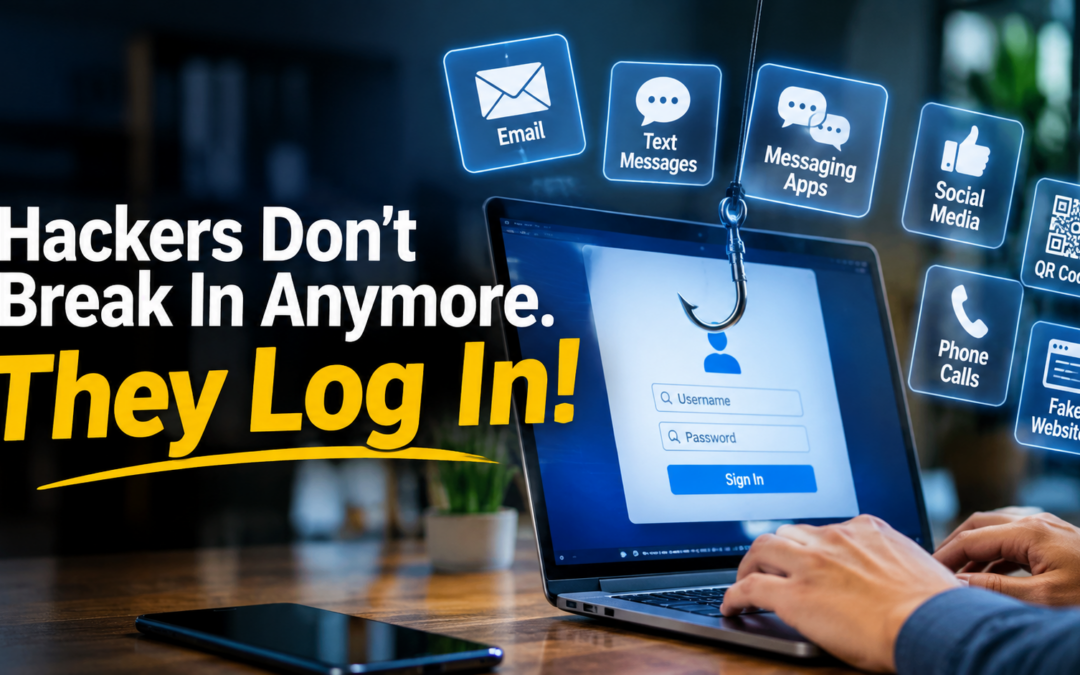
For years, businesses were taught to picture a cyberattack as someone “breaking through” a firewall or defeating antivirus software. That still happens. However, credential phishing attacks are a growing threat because criminals can steal a trusted user’s identity and log in as if they belong there.
That is why phishing remains so dangerous. In many cases, a criminal may not need to exploit a server, crack encryption, or deploy obvious malware. Instead, if they can trick an employee into entering a username and password into a fake login page, approve a fraudulent sign-in request, or surrender a valid browser session, the attacker may gain access using credentials the business itself already trusts.
The practical takeaway for Michigan businesses: your biggest security problem may not be someone breaking into the network. It may be someone successfully pretending to be one of your employees.
Credential Phishing Attacks Are No Longer Just About Stealing a Password
Classic phishing tries to trick a user into entering a password into a fake website. However, modern phishing can go further. For example, credential phishing attacks can use convincing sign-in pages that imitate Microsoft 365, Google, banks, payroll systems, cloud applications, document-sharing portals, or other services employees use every day.
Once the victim sees a familiar-looking login screen, they may enter legitimate credentials. As a result, the attacker can capture those credentials and, in some attacks, relay the sign-in to the real service in real time. This type of attack is commonly called adversary-in-the-middle, or AiTM, phishing.
In addition, Microsoft has documented AiTM phishing campaigns in which attackers stole passwords and session cookies, then used those sessions to access mailboxes and carry out business email compromise. This matters because a stolen session can tell the application that the user has already authenticated.
What Is a Session Cookie?
A session cookie is one of the mechanisms websites use to remember that you already signed in. Without it, many applications would ask you to re-enter your password and complete MFA every time you clicked to another page.
However, that convenience becomes dangerous during credential phishing attacks if an attacker steals the session. In that situation, instead of asking the attacker for the password and MFA again, the application may accept the stolen session as proof that authentication already happened.
How Credential Phishing Attacks Can Get Around Some MFA Protections
Multi-factor authentication is still one of the most important controls a business can deploy, and businesses should not disable it because bypass techniques exist. However, not every form of MFA provides the same level of protection.
In an AiTM phishing attack, the criminal places a malicious website between the employee and the legitimate sign-in service. The employee enters the password and completes the normal MFA step. The attacker proxies that exchange, captures the authenticated session, and may then replay it from another device. CISA recommends moving toward phishing-resistant MFA, especially FIDO/WebAuthn-based authentication, because it is designed to resist phishing and many common MFA bypass techniques. Passkeys and hardware security keys can be part of that strategy.
Why This Matters to Michigan Businesses
Michigan businesses of every size rely heavily on cloud identity. For example, email, accounting systems, file sharing, remote access, banking portals, payroll, customer records, legal files, and line-of-business applications are frequently protected by the same small number of user accounts. As a result, credential phishing attacks can put multiple business systems at risk when a trusted login is compromised.
In addition, the State of Michigan warns that phishing is one of the most common cyberattacks Michigan residents experience and notes that successful phishing can lead to compromised online accounts. For a business, one compromised account can become a path to fraudulent payments, stolen data, mailbox takeover, password resets, vendor impersonation, or additional phishing sent from a trusted company address.
At the same time, a small law firm in Macomb County, a CPA firm in Oakland County, a manufacturer in Metro Detroit, or a healthcare practice elsewhere in Michigan may have very different technology environments. Even so, the common weakness is identity: if a criminal obtains a trusted login, many security systems may initially see the activity as a legitimate user session.
A Common Attack Sequence
The employee receives a convincing email, text message, or document-sharing notification.
The link opens a page designed to look like a familiar login portal.
The employee enters a real username and password.
The fake site relays the login to the legitimate service.
The employee completes an MFA request, believing the sign-in is legitimate.
The attacker captures the authenticated session or token.
The attacker uses that trusted session to access email or cloud resources.
The attacker may create mailbox rules, monitor conversations, impersonate executives or vendors, steal information, or wait for a financial opportunity.
Why Antivirus Alone Does Not Solve This Problem
Antivirus and endpoint protection remain important, but credential phishing attacks and identity attacks demonstrate why businesses need layered security. If an employee willingly signs into a malicious proxy website, there may be no traditional malware file for antivirus to quarantine.
That is one reason Cyber Protect takes a cybersecurity-first approach. Endpoint security must work together with identity protection, email security, DNS and web filtering, security awareness training, conditional access, logging, monitoring, and strong authentication policies.
Security should not depend on a single product stopping every attack. The goal is to create multiple opportunities to prevent, detect, contain, and recover from an incident.
What Businesses Should Do Now
Require MFA for business-critical accounts, but recognize that weaker MFA methods can still be targeted.
Move high-value accounts toward phishing-resistant authentication such as FIDO/WebAuthn or passkeys where supported.
Use conditional-access policies to evaluate device, location, risk, and sign-in context where available.
Monitor for suspicious sign-ins, unusual mailbox activity, impossible travel, token anomalies, and newly created forwarding rules.
Use email security controls that inspect malicious links, impersonation attempts, and suspicious attachments.
Protect endpoints with modern EDR and Zero-Trust application controls instead of relying only on traditional antivirus.
Train employees to verify unusual login requests, document-sharing notices, password-expiration messages, and unexpected MFA prompts.
Have an incident-response process that includes password resets, session revocation, token invalidation, mailbox review, and investigation of downstream access.
Use unique passwords and a business password manager so a stolen password does not unlock multiple systems.
If an Account Is Compromised, Changing the Password May Not Be Enough
This point is frequently missed. For example, if an attacker stole a valid session cookie or token, changing the account password may not immediately terminate every existing session. Therefore, response procedures should include revoking active sessions and tokens, reviewing recent sign-ins, checking mailbox rules and forwarding, inspecting privileged changes, and determining what the attacker accessed.
For Microsoft 365 and other cloud platforms, the investigation should focus on identity activity as well as the endpoint. In other words, if the business only wipes a laptop and resets a password, it may miss the cloud portion of the compromise.
The Better Security Question Is: Can We Trust This Login?
Businesses often focus on whether a device has antivirus or whether a firewall is turned on. Those controls matter, but identity has become one of the central security boundaries in modern business.
When someone logs in, the organization should be able to ask: Is this the right user? Is this a trusted device? Does the sign-in come from an expected location? Is the session behaving normally? Does the user really need access to this information? Can we detect and revoke the session quickly if something looks wrong?
That is the difference between simply having security products and operating a security program.
Cyber Protect Helps Michigan Businesses Protect the Identity Layer
Cyber Protect LLC helps Michigan businesses reduce the risk of credential phishing attacks, account takeover, ransomware, and cloud compromise through layered cybersecurity and managed IT services.
Our approach can include endpoint detection and response, Zero-Trust endpoint security, Microsoft 365 security reviews, MFA and identity controls, email protection, security awareness training, DNS and web filtering, backup and recovery, monitoring, and practical remediation planning.
Hackers do not always need to break in. Sometimes they only need one trusted login. If you want to know whether your business could detect and stop that kind of attack, schedule a cybersecurity and IT assessment with Cyber Protect. We will help identify the gaps that matter most and give you a practical roadmap for reducing risk.
Frequently Asked Questions
Can hackers bypass MFA?
Some forms of MFA can be bypassed through phishing, MFA fatigue, session theft, SIM swapping, or adversary-in-the-middle attacks. MFA is still strongly recommended. Businesses should move toward phishing-resistant methods for higher-value accounts where possible.
What is session cookie theft?
Session cookie theft occurs when an attacker obtains a browser token or cookie that represents an already authenticated session. Depending on the service and controls in place, the attacker may be able to reuse that session without completing the normal login process again.
Does changing a password stop a stolen session?
Not always. Incident response may also require revoking active sessions or tokens, reviewing sign-in activity, checking mailbox rules, and investigating what the attacker accessed.
Is phishing only an email problem?
No. Phishing can arrive through email, text messages, messaging apps, social media, QR codes, phone calls, and fake websites.
What is phishing-resistant MFA?
Phishing-resistant MFA uses authentication methods designed so that credentials cannot simply be replayed on a fake website. CISA specifically identifies FIDO/WebAuthn as a widely available phishing-resistant approach.
Can Cyber Protect help with Microsoft 365 account security?
Yes. Cyber Protect can review Microsoft 365 security posture, identity controls, MFA, conditional access, risky sign-ins, email security, and other settings as part of a broader cybersecurity assessment and managed security strategy.