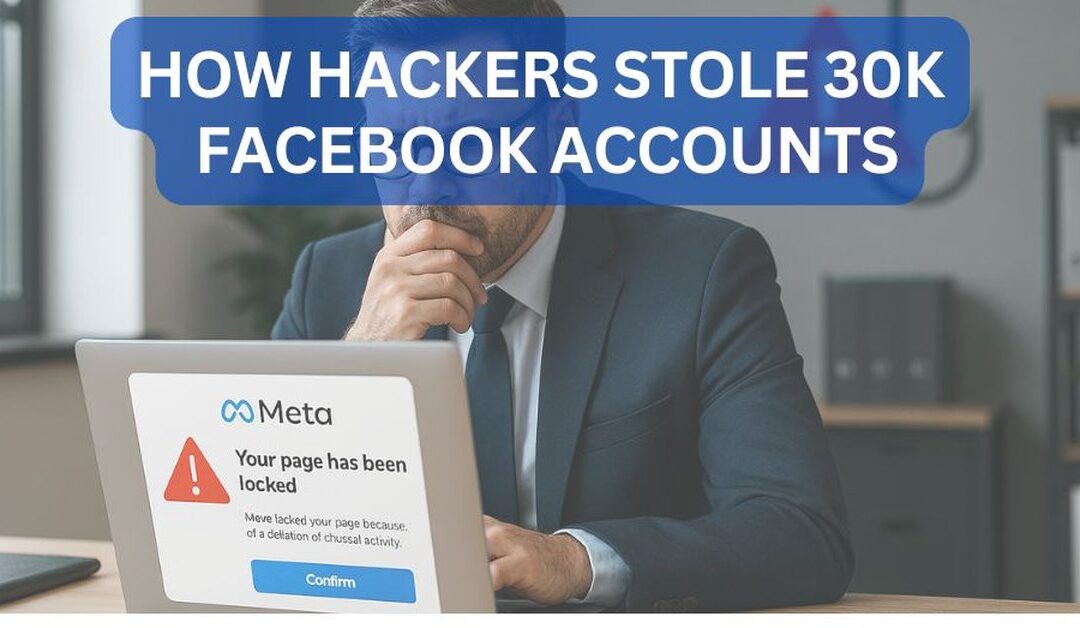
Your Facebook Business page could be taken over by end of business today, and you might not find out until a client calls to report a suspicious message sent from your brand account.
That is not a hypothetical. It is exactly what happened to more than 30,000 Facebook account holders in a recent phishing campaign called AccountDumpling, documented by the cybersecurity research team at Guardio Labs. And the method the attackers used is why your standard spam filter would not have stopped it.
The emails looked legitimate because they came from a legitimate source. They passed standard email security checks. And they targeted exactly the kind of businesses that cannot afford to lose access to their Facebook presence, including law firms, accounting offices, medical practices, real estate agencies, and local service companies across Michigan and beyond.
At Cyber Protect LLC, we have seen firsthand how fast a compromised account can spiral into a client trust issue, a regulatory concern, or an unplanned financial loss. This article walks you through what happened, why it matters for your business, and what you can do right now to reduce your risk.
AccountDumpling is a phishing campaign that compromised more than 30,000 Facebook accounts by abusing Google AppSheet to send authenticated phishing emails. The campaign targeted Facebook Business users and page administrators with fake Meta warnings, verification offers, and account recovery lures
What Was the AccountDumpling Phishing Campaign?
AccountDumpling was a large phishing operation that targeted Facebook Business account owners and page administrators. The attackers sent urgent messages claiming the recipient's Facebook account had a policy violation, copyright complaint, verification issue, login alert, or pending account disablement. The goal was to pressure victims into clicking a link and entering their login credentials.
Guardio Labs reported that the campaign used Google AppSheet as a phishing relay. The emails came from noreply@appsheet.com and were delivered through appsheet.bounces.google.com, which made them appear trustworthy to many email systems.
Guardio's key finding was straightforward but important: a properly authenticated email only proves that the platform sent the message. It does not prove the message itself is safe.
The campaign did not stop at stealing usernames and passwords. Some phishing pages collected dates of birth, phone numbers, government ID photos, business information, two-factor authentication codes, and even browser screenshots. Guardio described this as identity capture, not just credential theft.
Why This Attack Could Hit Your Business Next
Many small businesses use Facebook pages, Meta Business accounts, Instagram accounts, and paid advertising to generate leads and communicate with customers. If an attacker gains access to one of those accounts, the damage can happen within hours.
A compromised business social media account can lead to:
• Lost access to your business page and months of content, reviews, and followers
• Fraudulent advertising charges billed to your payment method on file
• Reputation damage as your brand is used to send scam messages to your own clients
• Exposure of business and personal information tied to your advertising account
• Weeks of recovery time navigating Meta's account reinstatement process
• Client trust damage that is nearly impossible to fully repair
In our experience working with Michigan law firms, accounting offices, and medical practices, urgency is the single most reliable trigger in a successful phishing attack. These businesses are busy, they trust familiar-looking communications, and their staff members are not thinking about cybersecurity when they are trying to respond to a Facebook policy warning before a deadline.
The Hacker News also reported that the campaign targeted Facebook Business account owners by impersonating Meta Support and warning victims that their accounts could be permanently deleted if they did not submit an appeal immediately. That type of pressure works. It is designed to work.
Is Your Business Protected From Phishing?
Cyber Protect LLC offers a free Cybersecurity and IT Services Audit for Michigan businesses. We review your email security, Microsoft 365 settings, MFA setup, and more.
How the Attackers Bypassed Traditional Email Security
Traditional phishing emails rely on spoofed domains, suspicious sending servers, misspellings, and poor formatting. AccountDumpling worked differently.
The attackers used legitimate platforms to make the emails much harder to block. Guardio identified an ecosystem involving Google AppSheet, Netlify-hosted fake Facebook pages, Vercel-hosted reward traps, Google Drive-hosted PDFs, and Telegram bot infrastructure working together.
The attack succeeded because the delivery mechanism appeared completely legitimate. This is an important shift in how phishing works, and it requires a different mindset when evaluating email security.
Instead of asking "Did this email pass SPF, DKIM, and DMARC?" businesses now need to ask a better question:
Does this message make sense, and is the destination safe? Email authentication confirms that a platform sent the message. It cannot guarantee that the message content is safe, that the link is legitimate, or that the sender's intent is honest.
The Four Lures That Stole 30,000 Accounts
Guardio identified four major phishing clusters in the campaign. Each used a different technique, but they shared the same goal: steal access to valuable Facebook accounts.
1. Fake Facebook Help Center Pages
Some victims received urgent emails about account disablement, trademark violations, or DMCA complaints. These emails linked to fake Facebook Help Center pages hosted on Netlify.
The phishing pages asked for more than login credentials. They collected personal recovery information including dates of birth, phone numbers, and government-issued ID photos. This is significant because attackers can use that recovery information to make it much harder for the real owner to regain control of the account.
2. Fake Blue Badge and Verification Offers
Other lures offered victims a chance to receive a blue badge, verification review, or advertiser reward. These pages appeared polished and professional. Some used fake CAPTCHA steps, countdown timers, contact forms, and forced password retry flows designed to make the process feel official.
Guardio found that some pages requested multiple rounds of two-factor authentication codes while the victim was still interacting with the phishing site. This is a critical reminder for every employee at every business:
KEY RULE: Never enter a two-factor authentication code into a page you reached from an email link. Legitimate services do not ask for your 2FA code through an email-driven login flow.
3. Google Drive PDFs With Live Operator Control
One of the more advanced attack paths used Google Drive-hosted PDFs. The PDF looked like an official Meta notice, but embedded links redirected victims to a live phishing panel where, according to Guardio, real operators could interact with the victim in real time via WebSocket traffic.
The phishing kit could collect passwords, 2FA codes, government ID photos, and browser screenshots while the victim thought they were completing a legitimate process. This is where phishing becomes particularly dangerous: it is not always a static fake login page. Sometimes there is a real person on the other side guiding the attack.
4. Fake Job Offers and Recruiter Messages
The fourth cluster used fake job offers impersonating major brands including Meta, Apple, Adobe, Pinterest, Coca-Cola, WhatsApp, and others. Instead of immediately sending victims to a login page, attackers tried to build trust through conversation first.
Guardio reported that some messages used Cyrillic homoglyphs in sender display names, making fake brand names look visually similar to real ones while evading simple detection. This is an important reminder: not every phishing attempt starts with an obvious malicious link. Some begin as a normal-looking professional exchange.
Why Business Owners Cannot Afford to Ignore Phishing
Phishing is not only an IT problem. It is a business risk with direct financial, legal, and reputational consequences.
A single employee clicking the wrong link can lead to:
- Compromised email accounts and stolen Microsoft 365 credentials
- Fraudulent wire transfer requests targeting your staff or clients
- Ransomware deployment that shuts down operations
- Social media account takeover and fraudulent advertising
- Client data exposure and potential regulatory liability
- Reputation damage that takes months or years to recover from
For law firms, accounting firms, medical practices, and other professional services businesses in Michigan, the stakes are even higher. These organizations hold sensitive client information and operate in regulated environments where a breach is not just an IT incident; it is a compliance event with real legal exposure.
One of our Michigan accounting firm clients received a nearly identical email to what Guardio described in the AccountDumpling campaign. Because we had phishing simulation training in place and their staff had been through it recently, an employee paused, flagged it to their internal contact, and confirmed it was a phishing attempt before clicking. Their credentials, their client data, and their reputation were never at risk. That is exactly how this is supposed to work.
How to Protect Your Business: 7 Practical Steps
There is no single tool that stops every phishing attack. Effective protection requires layered security, employee training, technical controls, monitoring, and clear internal procedures.
1. Train Employees to Slow Down
Phishing depends on urgency. Messages that warn about account suspension, overdue payments, expiring passwords, or imminent deletion are designed to create panic. A panicked employee clicks. A trained employee pauses.
Employees should know how to verify suspicious emails using a separate, trusted channel. If a message claims to be from Meta, Facebook, Microsoft, or your bank, pick up the phone and call the company directly using a number you know is real.
2. Use Multi-Factor Authentication Everywhere
MFA should be enabled for email, Microsoft 365, Google Workspace, banking platforms, remote access tools, social media accounts, and business applications. However, not all MFA is equal. SMS-based MFA is better than nothing, but app-based authentication, number matching, and hardware security keys provide meaningfully stronger protection. The Canadian Centre for Cyber Security recommends using MFA on all systems, including shared corporate social media accounts.
3. Upgrade Email Security Beyond Basic Spam Filtering
Basic spam filtering is no longer enough. Businesses need email security that can inspect message content, links, attachments, impersonation attempts, and malicious redirects. AccountDumpling is a clear example of why sender reputation alone fails: the email came from a legitimate service, but the message was a weapon.
4. Use DNS Filtering and Web Protection
DNS filtering blocks known malicious domains before users can reach them. Web protection adds another layer by stopping access to phishing pages and malware delivery sites. Many phishing attacks do not deliver malware through the email directly. They send the user to a dangerous website, and DNS filtering is what stops that last step.
5. Lock Down Your Social Media and Advertising Accounts
Business social media accounts should be treated like financial systems. They control brand reputation, advertising budgets, customer communication, and public trust. At minimum, you should:
- Limit admin access to only the people who need it
- Remove former employees immediately upon departure
- Require MFA for every admin account
- Review and update recovery email addresses and phone numbers
- Monitor ad spend for unusual activity
- Document your account recovery procedures before you need them
6. Monitor for Suspicious Activity
Many businesses do not know they have been compromised until a client reports a strange message or an admin is locked out. Monitoring should cover suspicious login locations, new inbox rules, external email forwarding, MFA changes, new admin users, and unexpected changes to account recovery settings.
7. Build an Incident Response Pla
Your business should know what to do before a phishing attack happens. The plan should identify who employees report suspicious emails to, who has authority to disable a compromised account, how to safely reset credentials and revoke active sessions, how to preserve evidence, how to communicate with affected clients, and when to involve cybersecurity professionals.
The Canadian Centre for Cyber Security recommends updating incident response plans to include specific steps for responding to successful phishing attacks, not just attempted ones.
How Cyber Protect LLC Stops Phishing for Michigan Businesses
The same multi-stage attack that compromised those 30,000 Facebook users can reach your business through your inbox, your advertising account, or an employee who receives a convincing Meta warning and wants to act quickly to protect the company. We help Michigan businesses close the gaps attackers look for.
Most IT companies focus on keeping systems running. That is important, but it is not enough when the threat arrives as a professionally crafted email from a legitimate Google service. Cyber Protect is a cybersecurity-first IT partner, which means we approach your technology environment the way an attacker would, looking for weak points before they are
Our leadership team brings over 25 years of cybersecurity experience, including work with enterprise-grade tools and organizations including McAfee's EPO engineering group, VMware Carbon Black, and Michigan cybersecurity startup AaDya Security. We bring that depth of knowledge to small and mid-sized Michigan businesses at a scale and price point that makes sense.
For phishing protection specifically, here is how we help:
- Advanced email security that inspects content, links, attachments, and sender behavior, not just spam scores
- Microsoft 365 security hardening including conditional access policies and login anomaly detection
- Multi-factor authentication setup using phishing-resistant options wherever possible
- Endpoint protection so that even if a link is clicked, malware cannot run undetected
- DNS filtering and web protection to block malicious destinations before employees reach them
- Security awareness training that teaches employees to recognize modern phishing tactics, not just obvious spam
- Phishing simulation training that tests your team with real-world scenarios so training sticks
- Dark web monitoring to alert you when your credentials appear in known breach data
- Backup and disaster recovery so that even a worst-case incident does not take your business offline permanently
- Incident response planning and support when a breach or account compromise happens
We work with law firms, healthcare practices, accounting firms, construction companies, real estate businesses, and other professional service organizations across Southeast Michigan. Our clients get local support from people who understand their industry, their regulatory environment, and the specific threats their businesses face. No overseas ticket queues. No geek speak. Just real protection from people who are reachable when it matters.
Schedule Your Free Cybersecurity Audit
If you are unsure whether your business is protected from phishing, account takeover, ransomware, or Microsoft 365 compromise, now is the time to find out.
Cyber Protect LLC offers a free Cybersecurity and IT Services Audit for Michigan businesses. During the audit, we review:
- Email security configuration
- Microsoft 365 security settings
- Multi-factor authentication setup
- Endpoint protection posture
- Backup and recovery readiness
- Phishing exposure and user access controls
- Remote access security
- Overall cybersecurity risk
Schedule Your Free Cybersecurity Audit
Do not wait until an employee clicks the wrong link or your business account is locked out. Contact Cyber Protect LLC today.
FAQ: AccountDumpling and Business Phishing Protection
What is AccountDumpling?
AccountDumpling is a phishing campaign identified by Guardio Labs that compromised more than 30,000 Facebook accounts by abusing Google AppSheet to send authenticated phishing emails targeting Facebook Business users and page administrators.
How did AccountDumpling bypass email security?
The attackers used Google AppSheet, a legitimate Google service, to send phishing emails. Because the messages came through legitimate infrastructure, they passed common authentication checks including SPF, DKIM, and DMARC. Passing those checks confirms the platform sent the email. It does not confirm the email itself is safe.
Why are Facebook Business accounts targeted by phishing attacks?
Facebook Business accounts control advertising budgets, business pages, customer communication, and brand reputation. Attackers can use stolen accounts for fraudulent ads, scams, account resale, or as a stepping stone to other attacks against the business.
How can small businesses protect against phishing?
Small businesses should implement advanced email security, multi-factor authentication, DNS filtering, endpoint protection, employee training, phishing simulations, social media access controls, reliable backups, and a documented incident response plan.
Who helps Michigan businesses protect against phishing?
Cyber Protect LLC helps Michigan businesses protect against phishing, ransomware, account takeover, Microsoft 365 compromise, and other cybersecurity threats through managed IT and cybersecurity services tailored to small and mid-sized businesses in regulated industries.
About the Author

Cheyenne Harden
CEO