
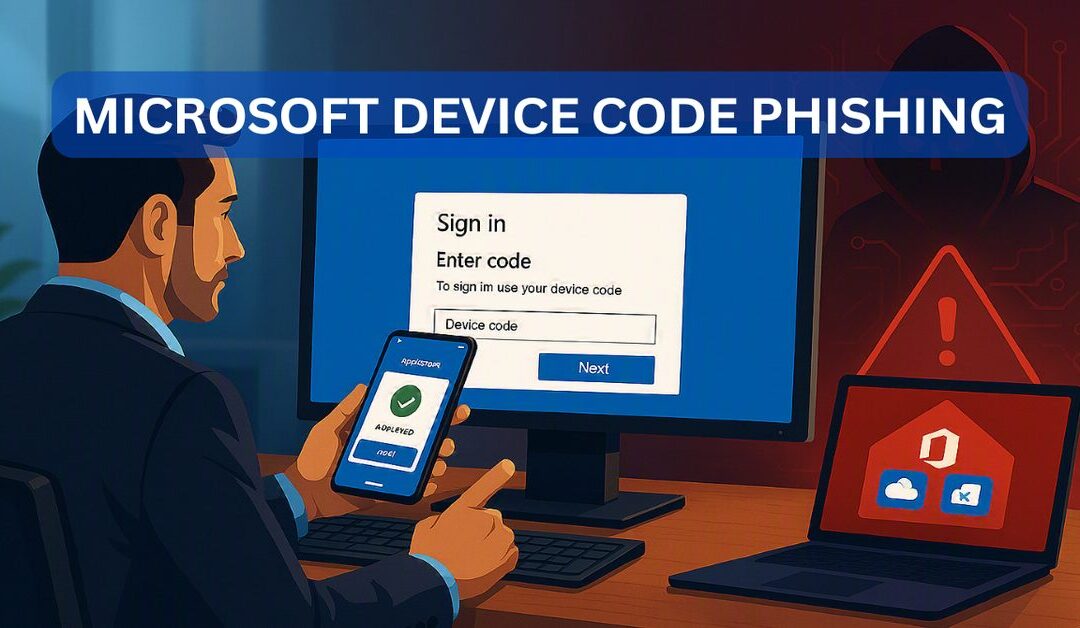
Most business owners believe multifactor authentication protects their Microsoft 365 accounts from phishing.
They may have invested in Microsoft Authenticator, security keys, passkeys, Conditional Access, or other advanced security controls. They assume an attacker cannot access an account without stealing the password and defeating the second authentication factor.
Unfortunately, some attackers have found another way in.
Microsoft has started documenting widespread phishing campaigns that abuse its legitimate device code authentication process. Instead of stealing a password, the attacker convinces the employee to approve a Microsoft 365 session that the attacker initiated.
BTW, this Microsoft 365 Session really does come from Microsoft!
The employee may sign in on a legitimate Microsoft website. They may successfully complete MFA. They may even use a FIDO2 security key or passkey.
A few seconds later, Microsoft can issue valid access tokens to the attacker.
The employee authenticated successfully, but they authenticated the wrong session.
This is why what a business owner does not know can hurt the business.
What Is Microsoft Device Flow Authentication?
Microsoft device flow authentication, also called device code flow, is a legitimate Microsoft OAuth authentication process.
It was designed for devices and applications that cannot easily display a normal Microsoft sign-in screen or accept a password. Common examples may include:
- Smart televisions
- Conference room equipment
- Shared Microsoft Teams devices
- Printers
- Digital signage
- Internet of Things devices
- Command-line utilities
- Certain administrative and developer tools
- Applications running on devices with limited keyboards or displays
Instead of signing in directly on the device, Microsoft displays a temporary code. The user opens a Microsoft device login page on another computer or smartphone, enters the code, and completes authentication.
Once Microsoft confirms the authentication, the original device or application receives an access token.
This is convenient for legitimate devices. It also creates a dangerous separation between the device requesting access and the person approving the request.
Attackers are exploiting that separation.
How Does a Microsoft Device Code Phishing Attack Work?
A device code phishing attack usually follows several steps.
- The Attacker Targets an Employee
The attacker identifies someone inside the organization.
Executives, accounting personnel, administrators, attorneys, office managers, human resources employees, and employees with access to financial information are especially valuable targets.
Modern attackers can use artificial intelligence to research the employee, understand their responsibilities, and create a highly personalized phishing message.
The email might reference:
- An invoice
- A request for proposal
- A shared Microsoft document
- A voicemail
- An electronic signature request
- A Microsoft Teams meeting
- A password expiration warning
- A manufacturing order
- A financial transaction
- A legal document
- A benefits or payroll update
The message can be written specifically for the victim’s job, industry, or current business activities.
- The Attacker Initiates a Device Code Request
The attacker contacts Microsoft’s legitimate device authorization service and requests a temporary device code.
The attacker’s system begins monitoring Microsoft for confirmation that someone has approved the code.
In more advanced campaigns, the device code is generated only after the victim clicks the phishing link. This gives the victim the full code validity period and increases the attacker’s chance of success.
- The Victim Is Sent to a Microsoft Login Page
The phishing page may instruct the victim to copy a code and visit Microsoft’s official device login website.
This is one of the reasons the attack can be so convincing.
The final authentication page may genuinely belong to Microsoft. The browser certificate can be valid. The domain can be correct. A password manager may recognize the site.
Traditional advice such as “check the website address” may not stop this attack because the authentication page itself may be legitimate.
- The Victim Enters the Code
The victim pastes the attacker-generated code into the Microsoft device login page.
The victim may then see the name of an application and a message asking whether they want to continue.
An employee who believes they are opening a document, joining a meeting, listening to a voicemail, or completing an electronic signature may approve the request without understanding what it means.
- The Victim Completes MFA or FIDO2 Authentication
Microsoft may ask the victim to enter a password, approve an Authenticator notification, use a passkey, or touch a FIDO2 security key.
The victim completes the security process successfully.
From Microsoft’s perspective, the legitimate user authenticated.
The problem is that the authentication was connected to a session controlled by the attacker.
- Microsoft Issues Tokens to the Attacker
The attacker’s system continually checks whether the code has been approved.
Once the victim completes authentication, Microsoft can issue an access token and potentially a refresh token to the application session initiated by the attacker.
The attacker can then use the token to access Microsoft 365 resources within the permissions granted to the compromised account.
The attacker may never know the victim’s password.
Can Device Code Phishing Bypass MFA?
Device code phishing can get around the expected protection of MFA because the attacker does not necessarily need to defeat the second factor.
The attacker persuades the legitimate user to complete it.
The employee may enter the password and approve the MFA request personally. Microsoft sees a valid authentication and issues tokens to the application that requested the device code.
MFA still works. It confirms that the person approving the request possesses the required authentication factors.
What MFA does not always confirm is whether the user understands which session, application, or device they are authorizing.
This is an important difference.
Traditional MFA remains essential and stops many common attacks. However, simply turning on MFA does not automatically block dangerous authentication flows, token abuse, malicious application consent, or every form of social engineering.
MFA must be supported by properly designed Conditional Access policies, monitoring, device controls, email protection, and employee education.
Can Device Code Phishing Bypass FIDO2 Security?
FIDO2 security keys and passkeys provide some of the strongest authentication security available. They use origin-bound public-key cryptography and are designed to prevent attackers from stealing or replaying authentication credentials through a fake website.
Device code phishing attacks the process from a different direction.
The victim may authenticate directly with Microsoft, which is the legitimate service that the FIDO2 credential expects. The security key correctly verifies Microsoft’s domain and completes the authentication.
However, the device code entered by the victim belongs to a session initiated by the attacker.
The FIDO2 credential has not been cracked, cloned, or stolen. It worked as designed. The user was tricked into applying that strong authentication to the attacker’s device flow request.
Therefore, it is more accurate to say that device code phishing can bypass the intended protection of FIDO2 in this specific workflow. It does not break the FIDO2 protocol itself.
This distinction matters because replacing traditional MFA with FIDO2 is not, by itself, a complete solution to device code abuse.
Organizations should continue using FIDO2 and passkeys, but they must also restrict high-risk authentication flows.
What Can an Attacker Do After Gaining Access?
The damage depends on the permissions of the compromised account and the security controls protecting the Microsoft 365 tenant.
A successful attacker may be able to:
Read and Search Email
The attacker can search the mailbox for information involving:
- Wire transfers
- Customer payments
- Invoices
- Tax records
- Payroll
- Employee information
- Password reset messages
- Vendor relationships
- Contract negotiations
- Legal matters
- Insurance documentation
- Banking relationships
This information helps the attacker understand how the company operates and who has financial authority.
Create Malicious Inbox Rules
Attackers frequently create inbox rules that:
- Hide replies from customers or vendors
- Move security notifications to obscure folders
- Delete warning messages
- Forward email to an outside address
- Redirect financial communications
- Conceal fraudulent conversations
An attacker may continue monitoring a mailbox while the employee sees no obvious warning.
Commit Business Email Compromise
Once the attacker understands an active financial conversation, they may impersonate an executive, vendor, attorney, employee, or client.
They can insert themselves into a legitimate email thread and change:
- Bank account information
- Payment instructions
- Wire transfer details
- Invoice routing information
- Payroll deposit information
Because the message comes from a real employee account and may be part of an existing conversation, the fraudulent request can be difficult to identify.
Access OneDrive and SharePoint
A Microsoft 365 account may provide access to far more than email.
The attacker could potentially access:
- Client records
- Legal documents
- Financial statements
- Employee files
- Medical information
- Intellectual property
- Contracts
- Insurance information
- Internal procedures
- Password spreadsheets
- Business plans
- Confidential project documentation
The attacker may download or exfiltrate sensitive files before the business realizes the account has been compromised.
Map the Organization
Attackers can use Microsoft Graph and other services to gather information about:
- Employees
- Job titles
- Managers
- Groups
- Mailboxes
- Applications
- Permissions
- Administrative roles
- Internal relationships
This reconnaissance helps the attacker identify more valuable accounts and plan additional attacks.
Establish Persistence
Depending on the permissions available, an attacker may attempt to:
- Register an unauthorized device
- Add a new authentication method
- Create mailbox rules
- Approve a malicious application
- Maintain valid refresh tokens
- Steal additional account information
- Move laterally to another account
A simple password reset may not remove every method the attacker established to regain access.
Why Small and Medium-Sized Businesses Are at Risk
Large organizations often have dedicated identity security teams, Microsoft 365 engineers, security operations centers, and advanced monitoring platforms.
Many small and medium-sized businesses do not.
A business may have MFA enabled and assume Microsoft 365 is fully protected. However, no one may be actively reviewing:
- Device code authentication activity
- Microsoft Entra sign-in logs
- Risky sign-ins
- Token usage
- New device registrations
- Inbox rule creation
- External forwarding
- Application consent
- Changes to authentication methods
- Conditional Access exclusions
- Unusual Microsoft Graph activity
An attacker can operate in the gap between having security products and properly configuring, monitoring, and maintaining those products.
Microsoft provides powerful security capabilities, but those capabilities do not configure themselves around the needs of each organization.
Why This Attack Can Be Difficult to Detect
Device code phishing can avoid several traditional warning signs.
The attacker may not need to:
- Steal the employee’s password
- Host a fake Microsoft password page
- Capture an MFA code
- Generate repeated MFA notifications
- Install malware on the employee’s computer
- Exploit a software vulnerability
The victim may authenticate on Microsoft’s legitimate infrastructure. The attacker then uses legitimate tokens to access legitimate Microsoft services.
This can make the activity appear more like a valid cloud session than a traditional account intrusion.
Attackers may also use reputable cloud-hosting platforms, compromised websites, redirect chains, and frequently changing infrastructure to avoid simple blocklists.
Warning Signs of Device Code Phishing
Employees and business owners should treat the following situations as suspicious:
- An unexpected email asks the user to visit a Microsoft device login page.
- A document, voicemail, meeting, or signature request displays a device code.
- Someone asks the user to copy and paste an authentication code.
- A login process asks the user to authorize an application they do not recognize.
- A user is asked to authenticate for a document that should open normally.
- Microsoft 365 sign-in logs show unexpected device code authentication.
- A user account suddenly registers an unfamiliar device.
- New inbox rules appear without the employee’s knowledge.
- Email forwarding is enabled unexpectedly.
- Messages disappear or move to unusual mailbox folders.
- A user’s account accesses data from an unfamiliar location or IP address.
- A user receives security alerts they do not recognize.
- An unfamiliar application appears in the user’s approved application list.
Employees should never enter a device code received through an unexpected email, document, website, chat message, or phone call.
How Businesses Can Block Microsoft Device Code Attacks
Microsoft recommends blocking device code flow wherever it is not required.
However, administrators should not turn on a broad blocking policy without first determining whether legitimate devices or applications rely on the flow.
Conference room systems, shared Teams devices, command-line tools, development utilities, and certain administrative processes may require carefully controlled exceptions.
A proper implementation should include the following steps.
- Audit Existing Device Code Usage
Review Microsoft Entra sign-in logs to determine:
- Which users use device code flow
- Which applications request it
- Which devices depend on it
- Which locations generate the requests
- Whether the use is expected
- Whether existing sessions appear suspicious
This establishes a baseline and reduces the risk of disrupting legitimate business equipment.
- Create a Conditional Access Policy
Microsoft Entra Conditional Access can identify and restrict device code authentication.
Organizations that do not require device code flow should move toward blocking it for all users and resources.
The policy should initially be placed in report-only mode. Administrators can then review the expected effect before enforcing the block.
- Limit Exceptions
When device code flow is required, exceptions should be narrow, documented, and monitored.
Exceptions may be limited based on factors such as:
- Specific resource accounts
- Approved groups
- Known applications
- Trusted network locations
- Documented conference room equipment
- Approved administrative processes
Broad exclusions can undermine the entire control.
- Protect Administrative Accounts
Administrative accounts should have stronger restrictions than normal user accounts.
Administrators should use:
- Separate administrative identities
- Phishing-resistant MFA
- Least-privilege access
- Privileged Identity
- Management where available
- Restricted administrative workstations
- Strong Conditional Access policies
- Monitored emergency access account
An attacker who compromises an administrative account may gain control over the entire Microsoft 365 environment.
- Configure Email Security Controls
Email security should inspect messages for impersonation, unusual senders, suspicious attachments, redirect chains, and phishing behavior.
Safe Links and properly configured anti-phishing policies can help identify device code phishing campaigns, even when the final Microsoft authentication address is legitimate.
- Monitor Identity and Token Activity
Businesses should monitor for:
- Unusual device code authentication
- Risky user and sign-in detections
- Sign-ins from anonymous infrastructure
- Token use from unfamiliar locations
- New device registrations
- Suspicious application access
- Changes to MFA methods
- New inbox rules
- External forwarding
- Unusual downloads from OneDrive or SharePoint
Security alerts must also reach someone who can investigate and respond promptly.
- Train Employees for This Specific Attack
Generic phishing training may not adequately address device code abuse.
Employees should understand:
- A legitimate Microsoft page does not automatically make a request safe.
- MFA approval does not guarantee the underlying request is legitimate.
- Device codes should only be used when the employee intentionally initiated setup of a known device.
- Unexpected device login instructions should be reported immediately.
- Employees should read the application and approval information shown by Microsoft before continuing.
What Should You Do After a Suspected Device Code Compromise?
A device code compromise should be treated as an active account intrusion.
Changing the password alone may not be enough because the attacker may already possess valid tokens or have established another method of persistence.
The response should include:
- Disable the affected account to stop immediate access.
- Revoke active sign-in sessions and refresh tokens.
- Reset the user’s password.
- Review all registered MFA methods.
- Remove unauthorized devices.
- Review application consent and OAuth permissions.
- Examine administrative role assignments.
- Review inbox rules, hidden rules, and email forwarding.
- Search Entra sign-in and audit logs.
- Review OneDrive, SharePoint, Exchange, and Microsoft Graph activity.
- Determine whether sensitive information was accessed or downloaded.
- Review sent messages and contact affected recipients.
- Evaluate legal, contractual, insurance, and regulatory notification obligations.
- Preserve evidence before making unnecessary changes to affected systems.
Microsoft has warned that revoking refresh tokens may not immediately invalidate every existing access token. Temporarily disabling the compromised account can provide stronger immediate containment while the investigation is completed.
How Cyber Protect Secures Your Microsoft 365 Environment
Cyber Protect helps businesses identify and close Microsoft 365 security gaps before attackers exploit them.
Our Microsoft 365 security services can include:
- Microsoft Entra ID security assessments
- Device code flow auditing
- Conditional Access policy design
- Device code flow blocking
- MFA and FIDO2 configuration reviews
- Administrative account protection
- Risky sign-in monitoring
- Microsoft Secure Score reviews
- Email security assessments
- Inbox rule and forwarding reviews
- Application consent audits
- Token and session investigations
- Incident response planning
- Microsoft 365 account compromise investigations
- Employee security awareness training
- Microsoft 365 security monitoring
We do not simply check whether MFA is turned on.
We examine how identities, applications, devices, authentication flows, email, permissions, and security policies work together. This allows us to identify the controls a business believes are protecting it and compare them with the protections that are actually enforced.
Cyber Protect works with growing businesses, law firms, healthcare organizations, accounting firms, financial services companies, manufacturers, construction companies, and other organizations throughout Warren, Macomb County, Metro Detroit, and Southeast Michigan.
What You Do Not Know About Microsoft 365 Can Hurt Your Business
Your organization may already use MFA. Your employees may have security keys. Your Microsoft 365 dashboard may show a respectable Secure Score.
That does not confirm that dangerous device authentication flows are blocked.
It does not confirm that Conditional Access policies cover every employee.
It does not confirm that excluded users, legacy processes, application permissions, token activity, and mailbox rules are being monitored.
Attackers look for the security control no one reviewed, the exception no one documented, and the authentication flow no one knew was enabled.
Do not wait for a fraudulent wire transfer, exposed client file, compromised executive mailbox, or cyber insurance claim to discover the gap.
Schedule a Microsoft 365 Security Assessment
Cyber Protect can assess your Microsoft 365 environment, investigate device code flow activity, review your Conditional Access policies, and help block this attack before it affects your organization.
Frequently Asked Questions About Microsoft Device Code Phishing
What is Microsoft device code phishing?
Microsoft device code phishing is an attack in which a criminal initiates a legitimate Microsoft device authentication request and tricks a user into approving it. Once the user enters the attacker’s code and completes authentication, Microsoft may issue valid account tokens to the attacker’s session.
Can device code phishing bypass MFA?
It can bypass the protection businesses expect from MFA because the legitimate user completes the MFA request. The attacker does not necessarily defeat or steal the second factor. The victim unknowingly authorizes the attacker’s authentication session.
Can device code phishing bypass a FIDO2 security key?
The attack does not break the FIDO2 protocol or steal the security key. However, the user may apply FIDO2 authentication to a legitimate Microsoft page connected to a device flow request initiated by the attacker. The attacker then receives the authorized token.
Does the attacker need the user’s password?
Not always. An employee who already has an authenticated Microsoft session may only need to enter the device code and approve the request. In other situations, the employee may enter the password and complete MFA directly on Microsoft’s legitimate authentication page.
Can Microsoft device code flow be disabled?
Microsoft Entra Conditional Access can be used to block device code flow. Microsoft recommends blocking it wherever possible. Organizations should first audit legitimate usage and test the policy in report-only mode before enforcement.
Will blocking device code flow affect Microsoft Teams devices?
It can affect certain Teams room systems, shared devices, command-line utilities, and other equipment that legitimately uses device code flow. Required exceptions should be narrowly scoped, documented, and monitored.
How can I determine whether device code flow is being used?
Microsoft Entra sign-in logs can be filtered by authentication protocol to identify device code flow activity. Administrators should review the users, applications, resources, locations, and devices associated with the authentication.
What can an attacker access after a Microsoft 365 account takeover?
Access depends on the user’s permissions. The attacker may be able to read email, create inbox rules, access OneDrive or SharePoint files, search financial conversations, impersonate the employee, map the organization, and conduct business email compromise.
Is changing the employee’s password enough?
No. The attacker may already possess valid tokens, have registered an unauthorized device, created inbox rules, added authentication methods, or approved an application. A complete incident response process should disable the account, revoke sessions, review persistence mechanisms, and investigate data access.
Does Microsoft 365 automatically protect every business from this attack?
Microsoft provides security controls that can reduce this risk, but those controls must be properly licensed, configured, tested, monitored, and maintained. Default settings may not address every organization’s devices, users, applications, and business requirements.
Does Conditional Access require a specific Microsoft license?
Microsoft Entra Conditional Access generally requires Microsoft Entra ID P1 or P2 licensing. Microsoft 365 Business Premium includes Entra ID P1, while Business Basic and Business Standard typically do not include the same Conditional Access capabilities.
How can Cyber Protect help prevent device code phishing?
Cyber Protect can audit device code usage, review sign-in activity, configure Conditional Access, restrict authentication flows, assess MFA and FIDO2 deployment, review mailbox persistence, strengthen email security, and monitor Microsoft 365 for suspicious identity activity.
About the Author

Cheyenne Harden
CEO